
The trading journal is free, and Mentor AI is the one part that is paid. It costs $29/month, or $276/year if you pay yearly.
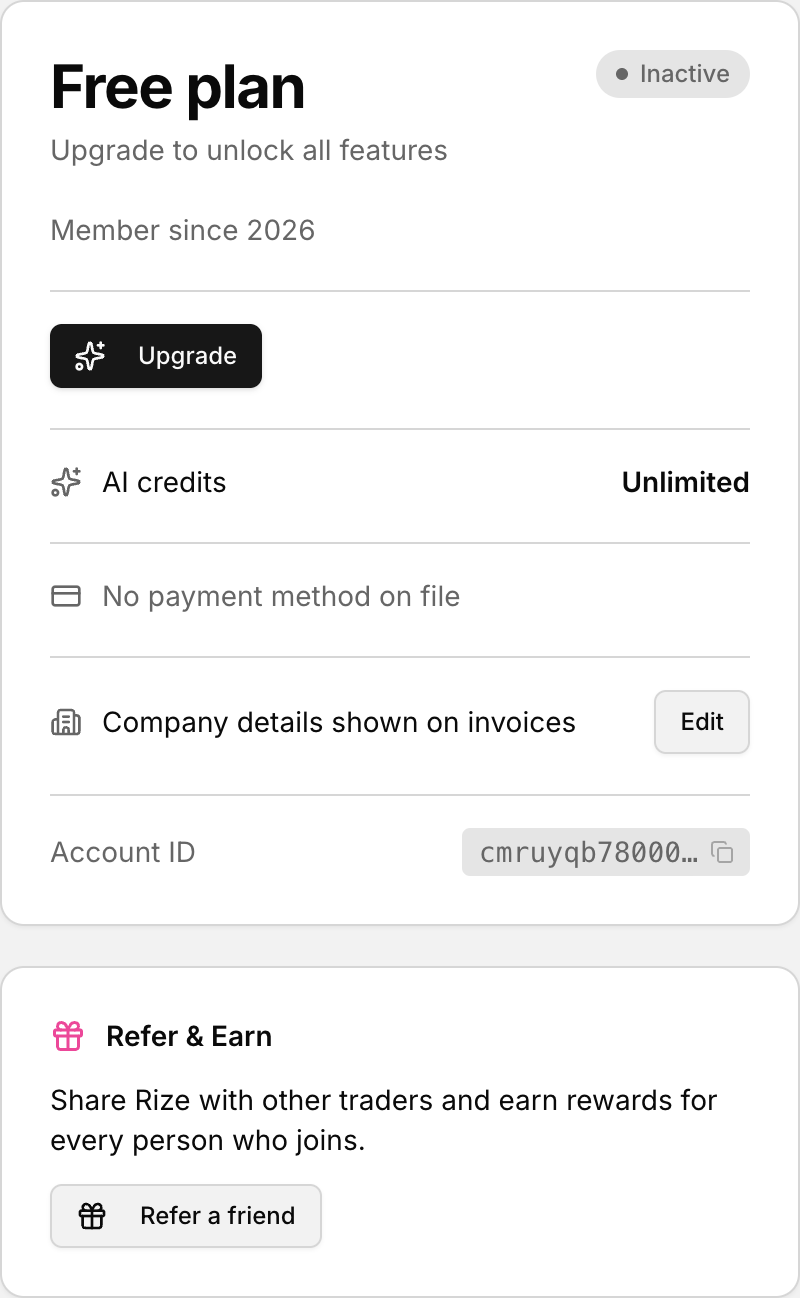 Upgrade from the Subscription panel in Settings.
What the subscription adds
- Mentor AI: an AI trading mentor that reads your actual trades and tells you what is going wrong
- About 100 Mentor AI questions a month, with top-ups available if you need more
- A human mentor can be invited to review your journal
Everything else is included free and needs no subscription. That covers unlimited trades, trading accounts and imports, the P&L calendar, the Discipline and Consistency Trackers, playbooks and charts.
Subscribe from Settings
- Click your profile icon in the bottom-left corner.
- Select Subscription. This opens the subscription card in Settings.
- Click Upgrade.
- Finish checkout.
If you already subscribe, the same card shows Update subscription instead.
Subscribe from Mentor AI
Selecting Mentor AI in the sidebar while on the free plan opens the upgrade window directly, with the monthly and yearly prices and a Get Mentor AI button. There is no trial, so the first payment is taken at checkout.
Running out of questions
Your monthly questions reset each billing period. If you run out before then, you can top up from Settings. Topped-up questions never expire and are only used once your monthly ones are gone.
See also: Manage, upgrade, or cancel your subscription.