
It depends on your broker. Rize Trade gives you three ways to get trades in: Auto-sync, File upload or Add manually.
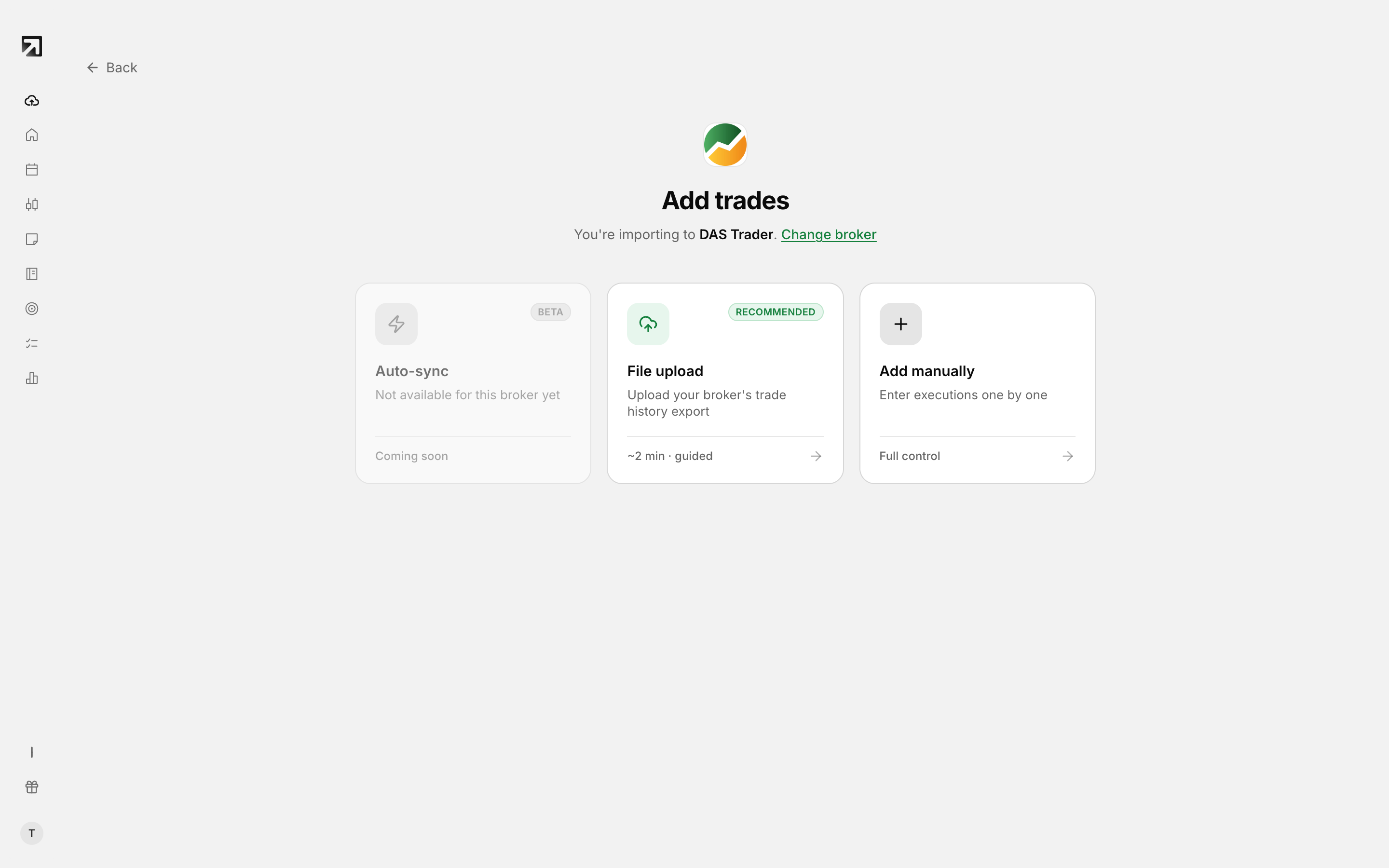 Each broker offers the import methods it supports.
Open Add Trades, pick your broker, then choose a method on Select Import Method.
Auto-sync
Auto-sync connects to your broker and pulls trades in for you. The card says Connect & sync automatically and shows a Beta badge.
When auto-sync is on, trades sync every 2 hours. Use Sync Now for a fresh pull without waiting.
If your broker does not support auto-sync, that card shows Not available for this broker yet.
File upload
You export a file from your broker, then bring that history into Rize Trade. File uploads are unlimited on both paid plans.
Add manually
Enter trades one by one in the app.
Which methods appear for your broker
- Auto-sync — syncs every 2 hours, or pull sooner with Sync Now
- File upload — unlimited on both plans
- Add manually — enter trades one by one
Security
Rize Trade does not store your broker login credentials. It does not execute trades or access the funds in your account.