Free Google Sheets Trading Journal Template
Download a free Google Sheets trading journal template with a Trade Log and an automated dashboard. Import it to Sheets in one step and start tracking performance, reviewing trades and building a consistent routine.
Ten templates below. No email required.
Ten templates, because one shape does not fit ten jobs
A futures journal needs a tick multiplier. A forex journal needs a pip factor. An options journal needs days to expiry, and none of those belong in a swing trading log.
So these are ten different workbooks rather than one workbook with ten unused columns. Each opens with a Start Here sheet, a Trade Log with the calculations already written, and a Dashboard that fills itself in.
Each one also ends with a sheet called Where Sheets Stops, which shows you the thing that template genuinely cannot do, with a screenshot of it being done. We would rather tell you the limit than let you find it in March.
Pick the one that matches how you trade
Intraday
Day Trading Journal
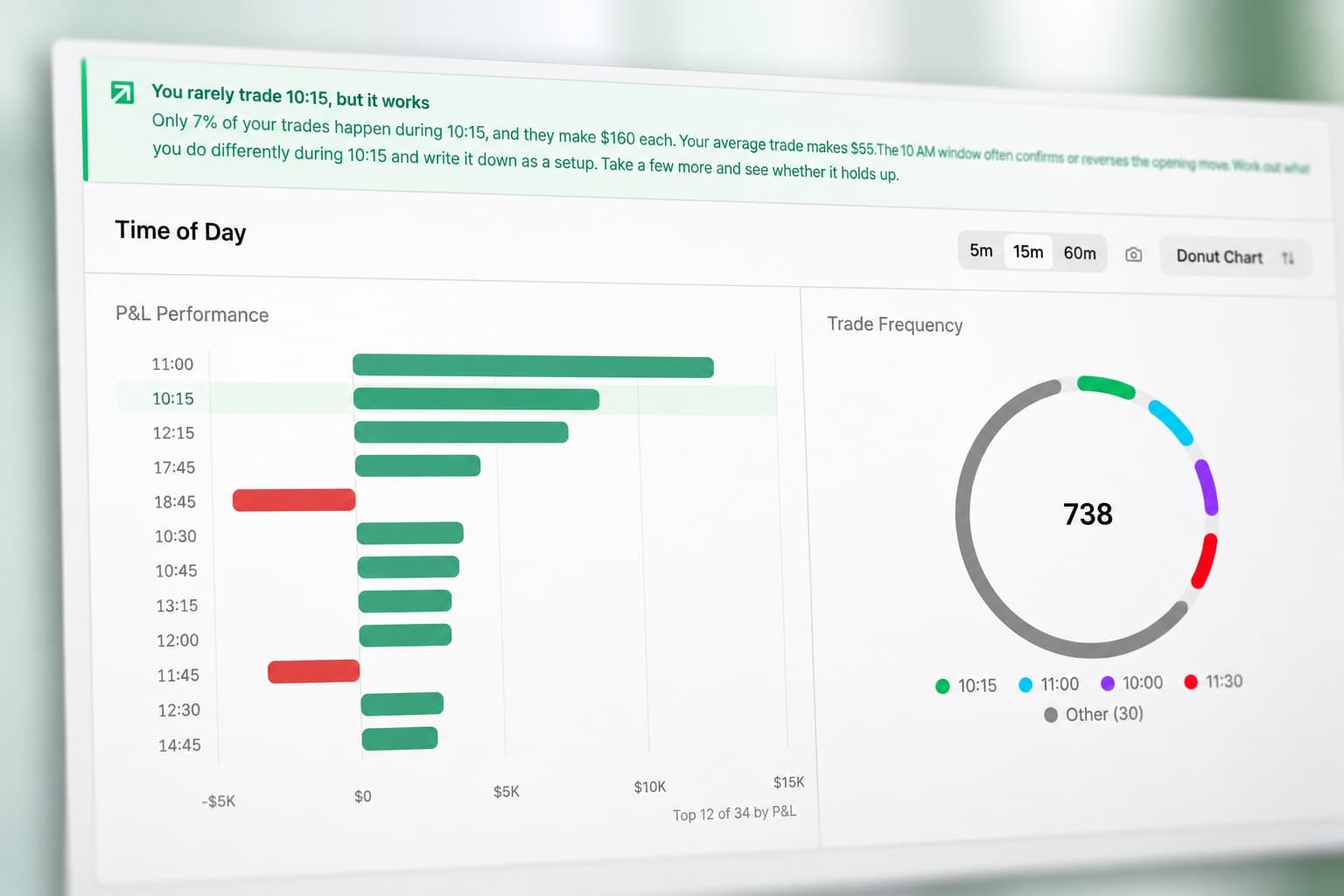
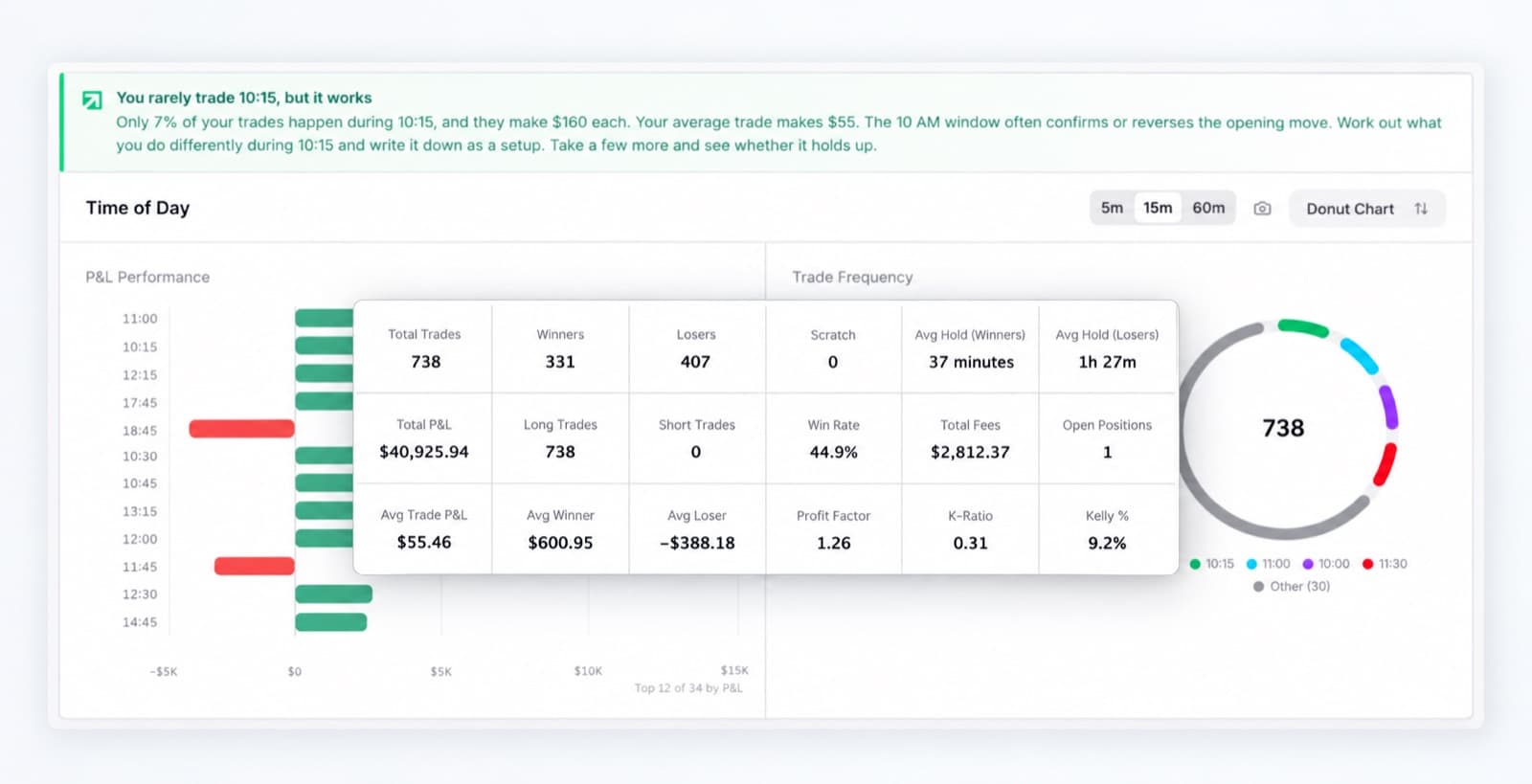
Records the clock as well as the price, so the dashboard can split your P&L by session and show how long you hold a winner against a loser.
- Sheets
- Start Here, Trade Log, Dashboard, Where Sheets Stops
- Log columns
- 15
- Where Excel stops
- Knowing which hour is a real edge
Multi-day
Swing Trading Journal
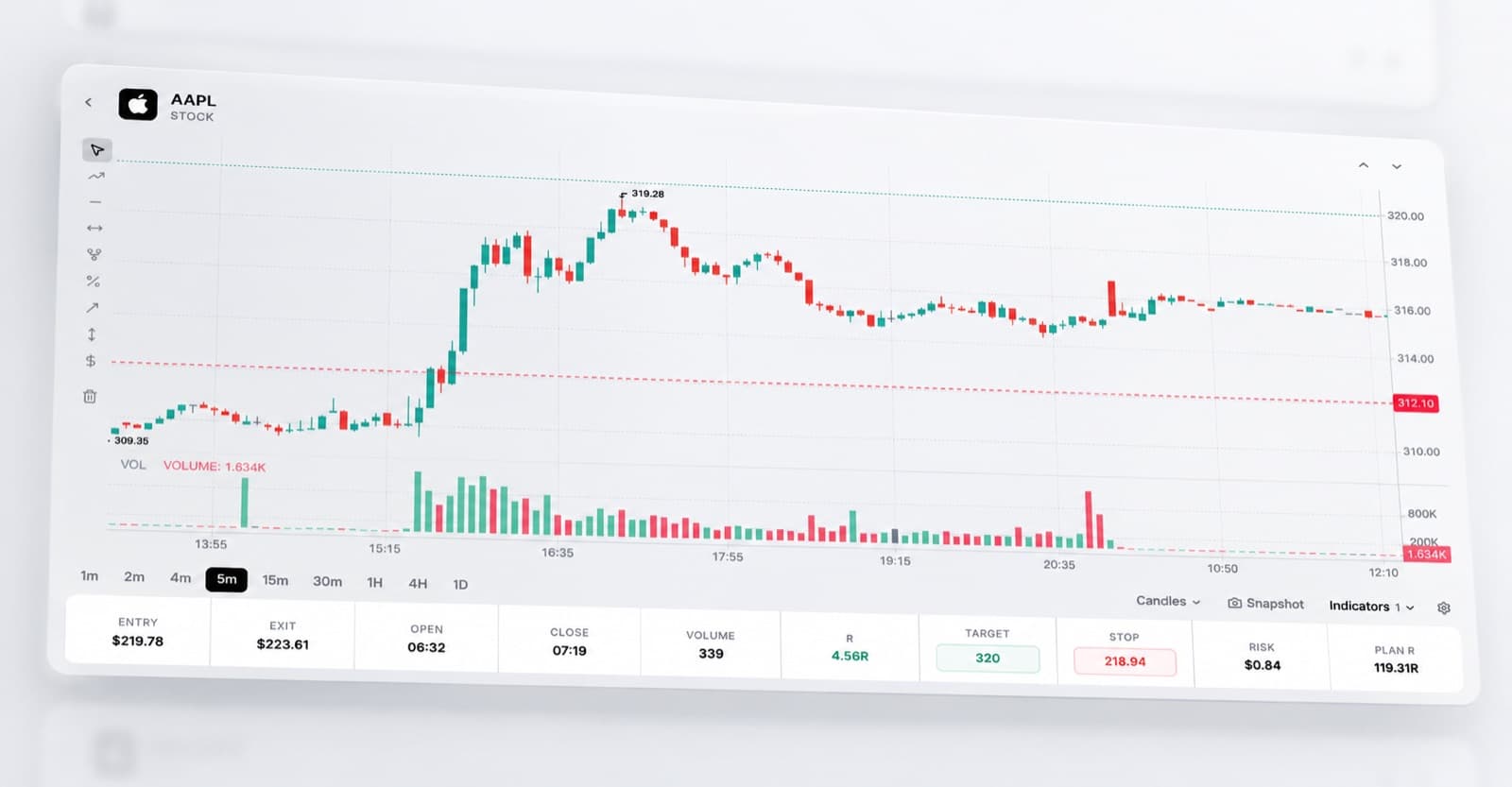
Prices every trade in R against the stop you set on entry, so a 200-share trade and a 2,000-share trade can finally be compared.
- Sheets
- Start Here, Trade Log, Dashboard, Where Sheets Stops
- Log columns
- 15
- Where Excel stops
- What the price did while you held
Contracts
Options Trading Journal
Strike, expiry and an explicit multiplier, with days to expiry calculated from entry so you can see whether decay or direction is costing you.
- Sheets
- Start Here, Trade Log, Dashboard, Where Sheets Stops
- Log columns
- 18
- Where Excel stops
- K-Ratio, Kelly and the equity curve
Points and ticks
Futures Trading Journal
Comes with a contract spec sheet for ES, NQ, CL, GC and the micros, so the multiplier behind your P&L is never a guess.
- Sheets
- Start Here, Trade Log, Dashboard, Contract Specs, Where Sheets Stops
- Log columns
- 15
- Where Excel stops
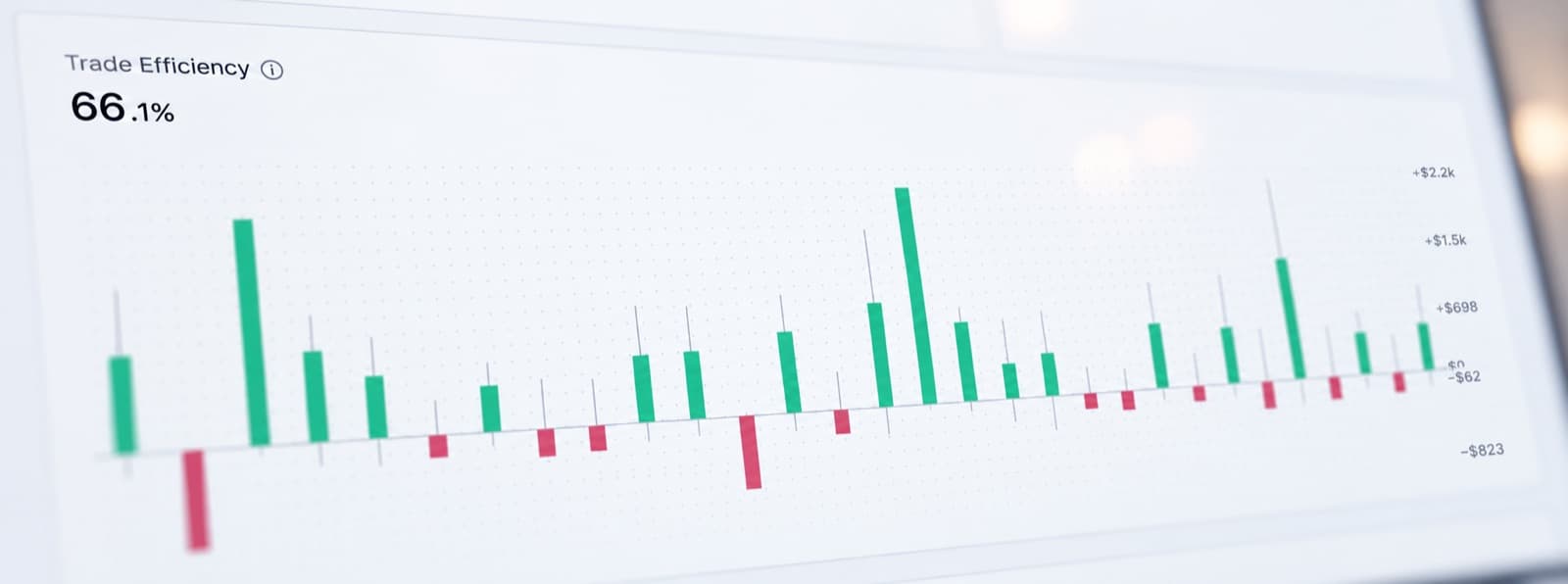
- Trade efficiency
Pairs and pips
Forex Trading Journal
An explicit pip factor per row, because getting a JPY cross wrong by a factor of a hundred is the commonest error in a home-made FX journal.
- Sheets
- Start Here, Trade Log, Dashboard, Where Sheets Stops
- Log columns
- 16
- Where Excel stops
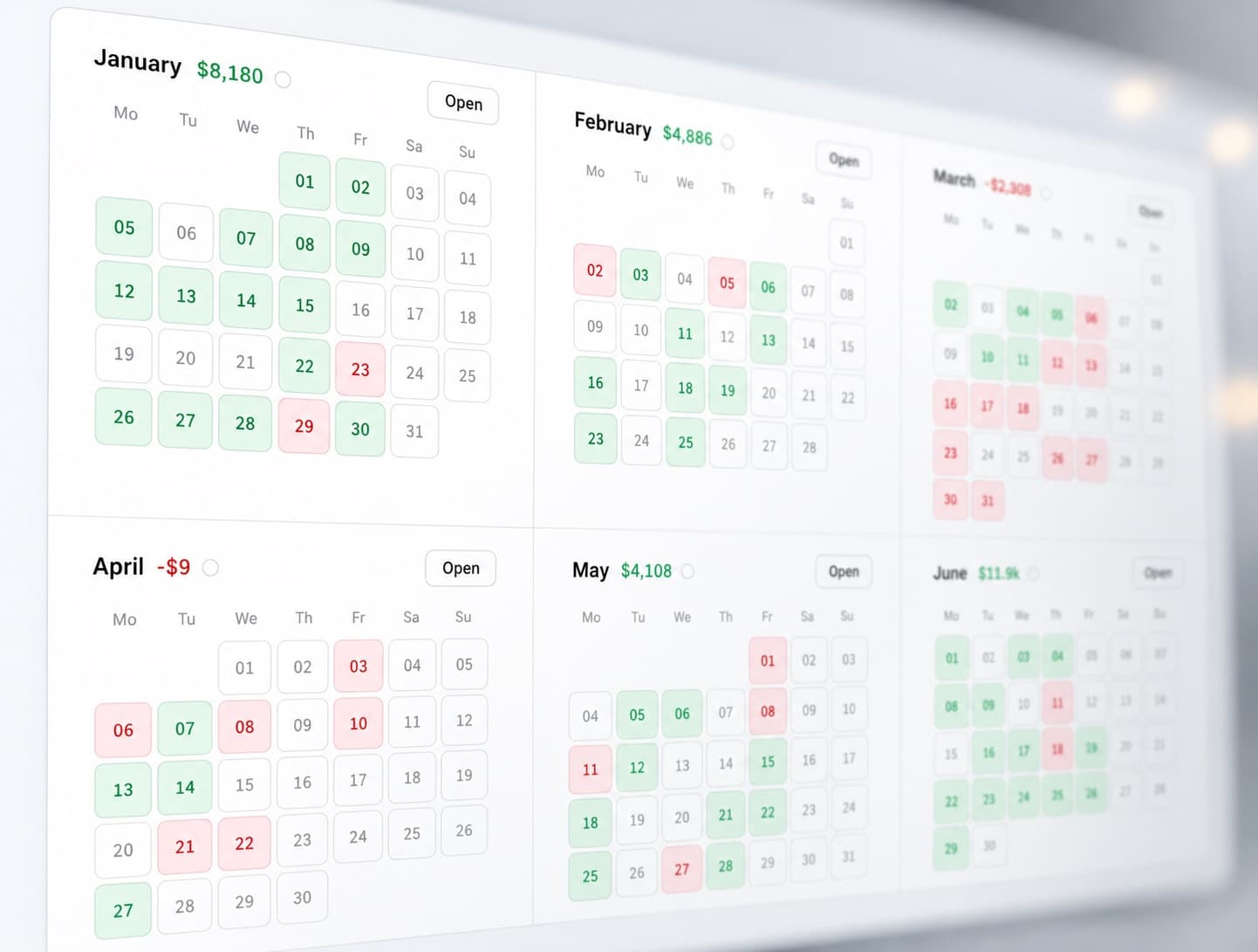
- Seeing six months at once
Discipline
Rule Compliance Journal
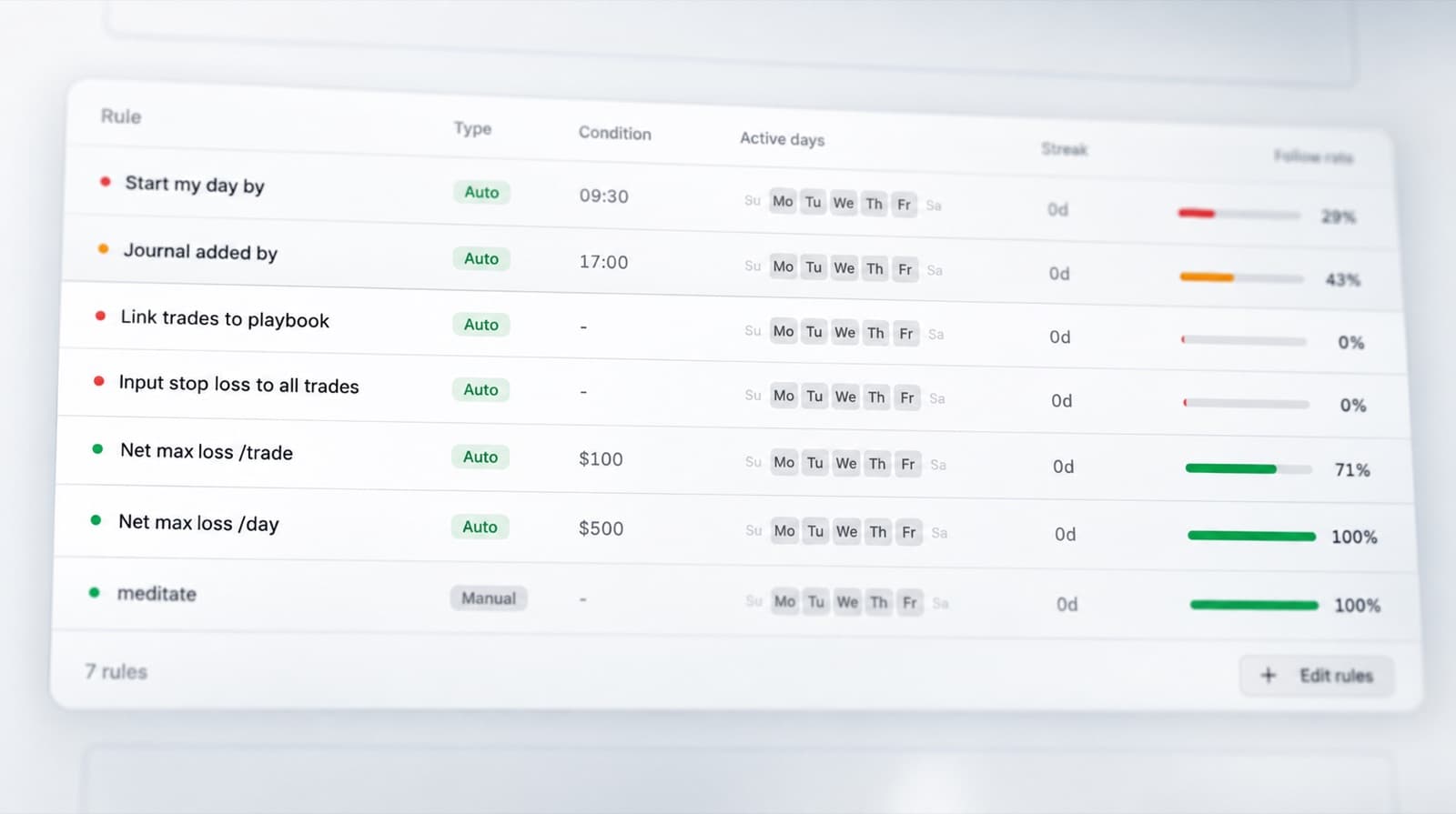
Seven rules scored Y or N on every trade, then the dashboard prices the gap between the trades you took by your process and the ones you did not.
- Sheets
- Start Here, Trade Log, Dashboard, My Rules, Where Sheets Stops
- Log columns
- 19
- Where Excel stops
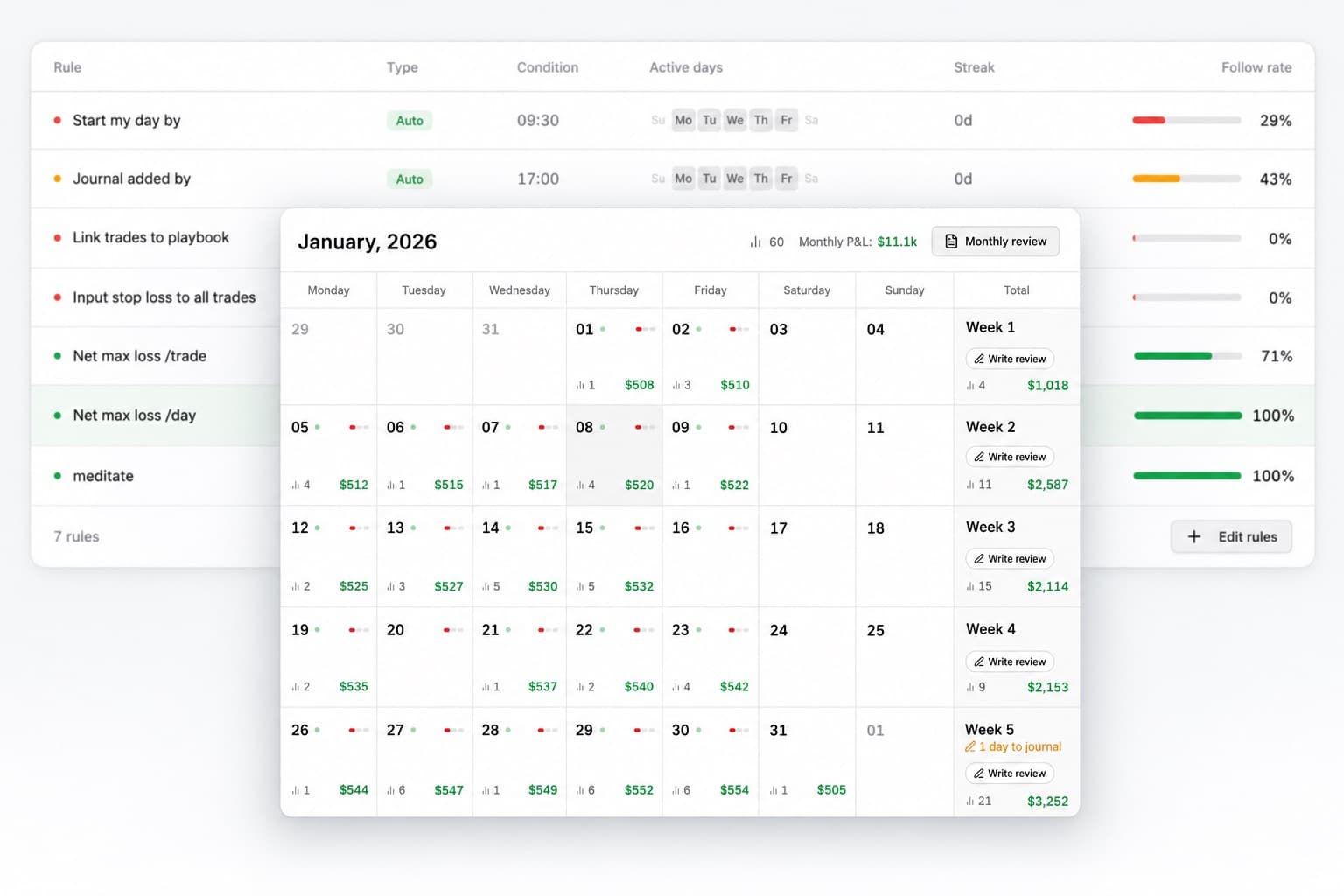
- Rules that check themselves
Per setup
Playbook Journal
Define each setup once, then score every trade against it. Built around one question: did the setup fail, or did you not trade the setup?
- Sheets
- Start Here, Trade Log, Dashboard, Playbook, Where Sheets Stops
- Log columns
- 16
- Where Excel stops
- Scoring the trade for you
Behaviour
Trading Psychology Journal
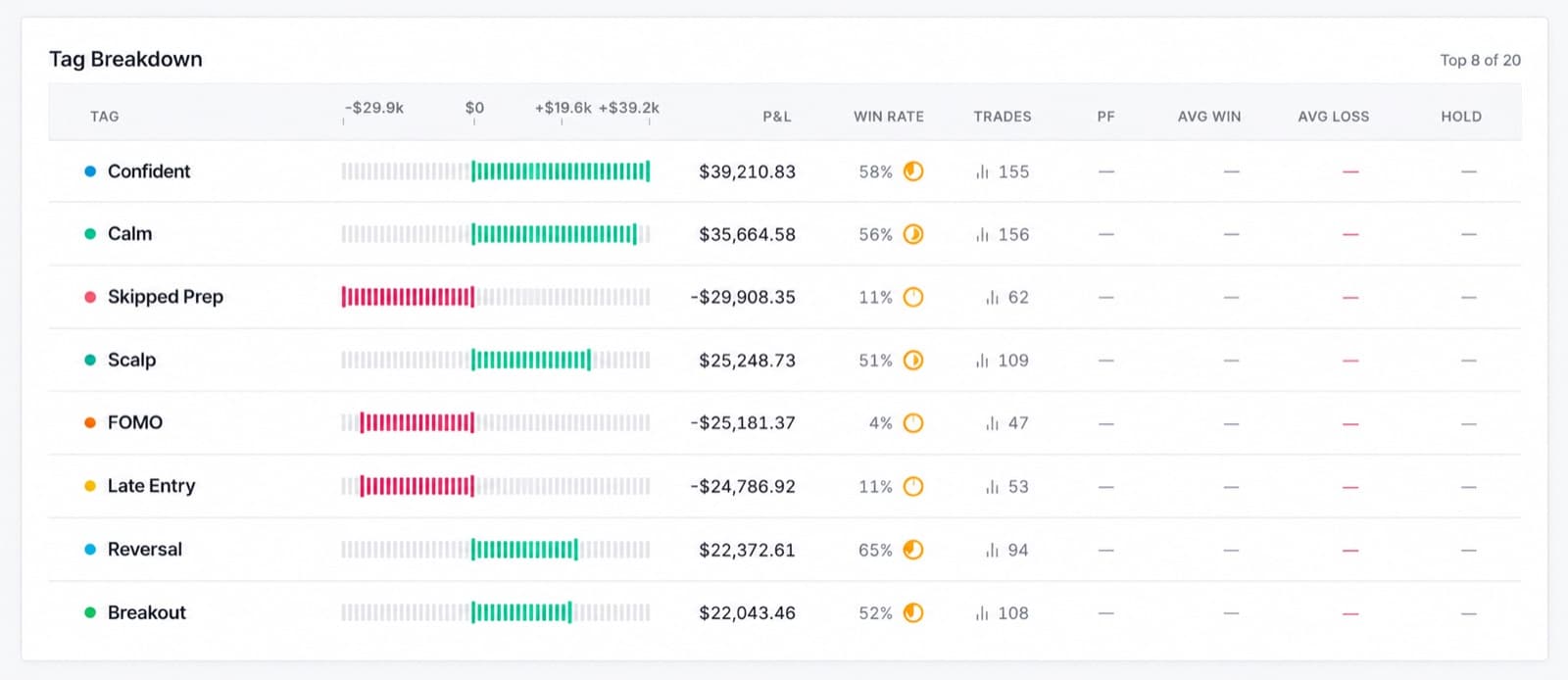
Tags the state you were in and prices it. Knowing FOMO is a problem is not useful. Knowing what it has cost you across how many trades is.
- Sheets
- Start Here, Trade Log, Dashboard, Where Sheets Stops
- Log columns
- 16
- Where Excel stops
- Honesty at the moment it matters
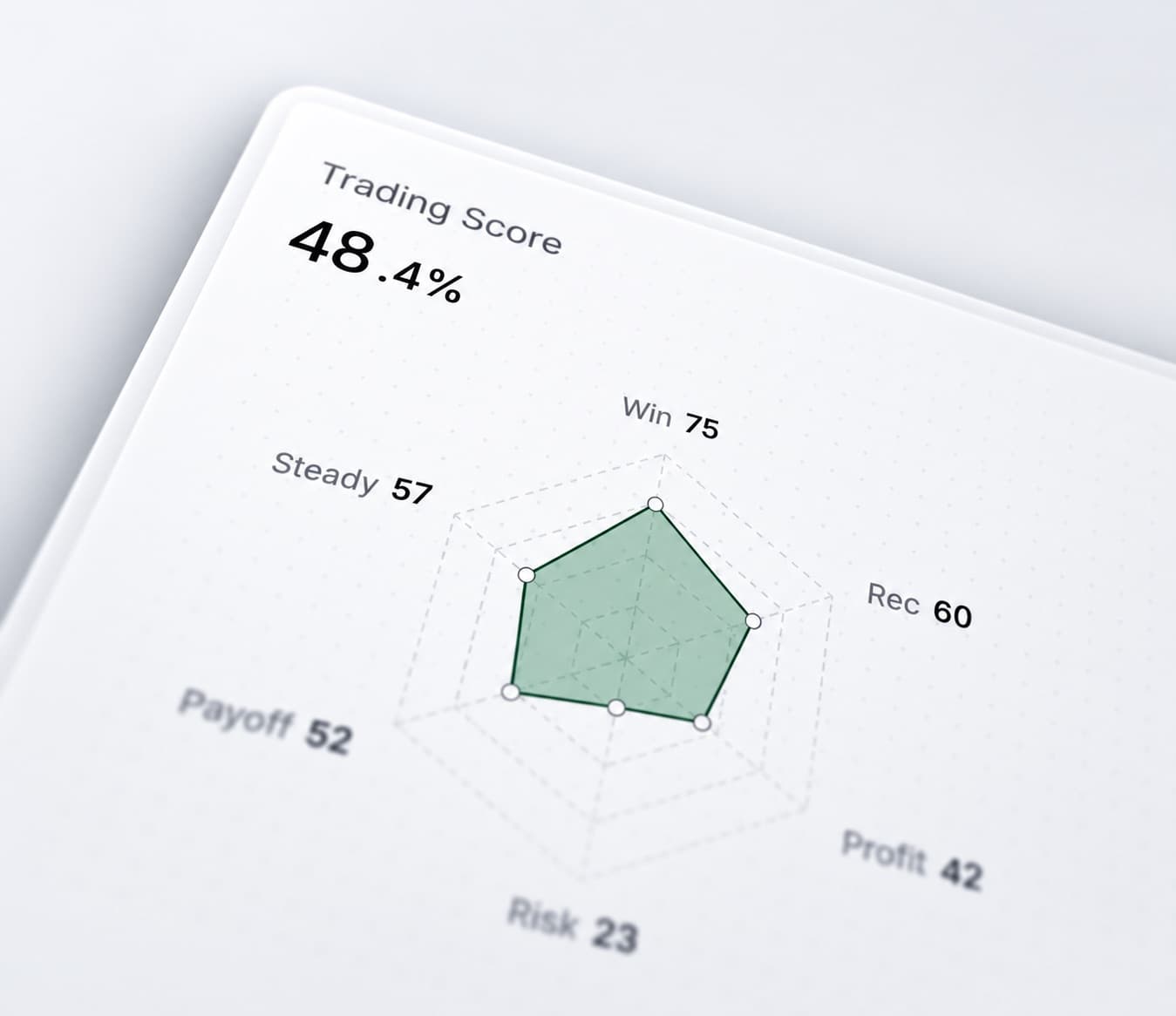
Position sizing
Risk Management Journal
Planned risk against what the trade actually cost, plus a position sizer that rounds down. The overrun column finds the trades where the stop moved.
- Sheets
- Start Here, Trade Log, Dashboard, Position Sizer, Where Sheets Stops
- Log columns
- 15
- Where Excel stops
- Scoring risk against everything else
Cadence
Weekly Review Journal
Shaped around the review rather than the trade. Twelve weeks of totals fill themselves in and leave you the three sentences that matter.
- Sheets
- Start Here, Trade Log, Dashboard, Weekly Review, Where Sheets Stops
- Log columns
- 16
- Where Excel stops
- Telling you what it found
What is in every workbook
- Start Here
- What to type and what not to touch, the colour key, and the assumptions the workbook makes about your fills. Read it once.
- Trade Log
- One row per closed trade, with the calculated columns already written. Shaded cells are yours, white cells are formulas. Row 6 is a worked example you delete once your own trades are in.
- Dashboard
- Thirteen shared performance figures plus a block specific to that template. Nothing on it needs typing and nothing on it is hardcoded.
- Where Sheets Stops
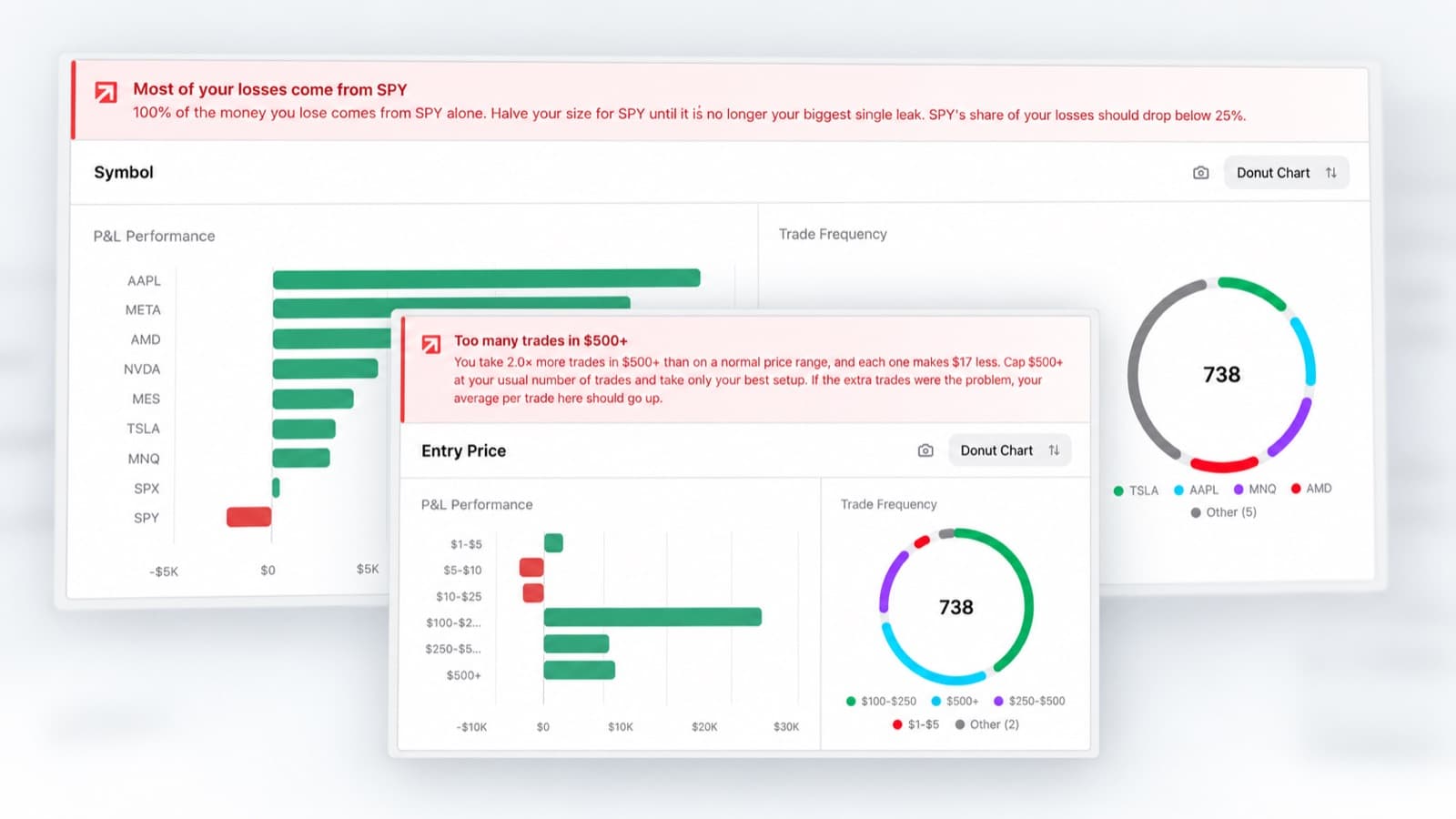
- The honest limit, with a screenshot of RizeTrade doing the thing the spreadsheet cannot.
Five of the ten add a fifth sheet: contract specs for futures, a rules sheet, a playbook, a position sizer, or a twelve-week review.
Questions
- Are these really free?
Yes, and there is no email wall. The download button starts a short countdown and then hands you the file.
- Which one should I start with?
Pick the one that matches the instrument you trade most. If your problem is not finding setups but sticking to them, start with the Rule Compliance Journal instead.
- How do I get this into Google Sheets?
In Sheets, choose File, then Import, then Upload, and drop the file in. Pick Replace spreadsheet and leave Convert text to numbers, dates and formulas ticked.
That tickbox is the one thing worth getting right. Untick it and every formula arrives as text, so the dashboard shows the formulas instead of the figures.
The same file opens in Excel, LibreOffice and Numbers too. Formatting travels less well than formulas; expect a column width or a colour to shift.
- Do I have to keep the columns as they are?
No. The shaded cells are yours to type in and the wording on the rules and playbook sheets is yours to rewrite.
The white cells hold formulas. Overtype one and it stops calculating, which is the one way to break a workbook without noticing.
- What is the Where Sheets Stops sheet?
The last sheet in every workbook. It names one thing that template genuinely cannot do and shows a screenshot of RizeTrade doing it.
Trade efficiency is the clearest example: it needs the highest and lowest price printed while you were in the position, and no spreadsheet you fill in by hand will ever have those numbers.
- Do I need a RizeTrade account?
No. The templates work on their own and nothing in them phones home.
A spreadsheet is a good place to start
It stops being one at about the point where typing last week's fills takes longer than reviewing them.
RizeTrade imports your trades from your broker, plots each one on the chart it happened on, and calculates the execution numbers no workbook can reach.