
Commission and fee tracking is included on Essential and Pro, so your net P&L can reflect what you keep after costs.
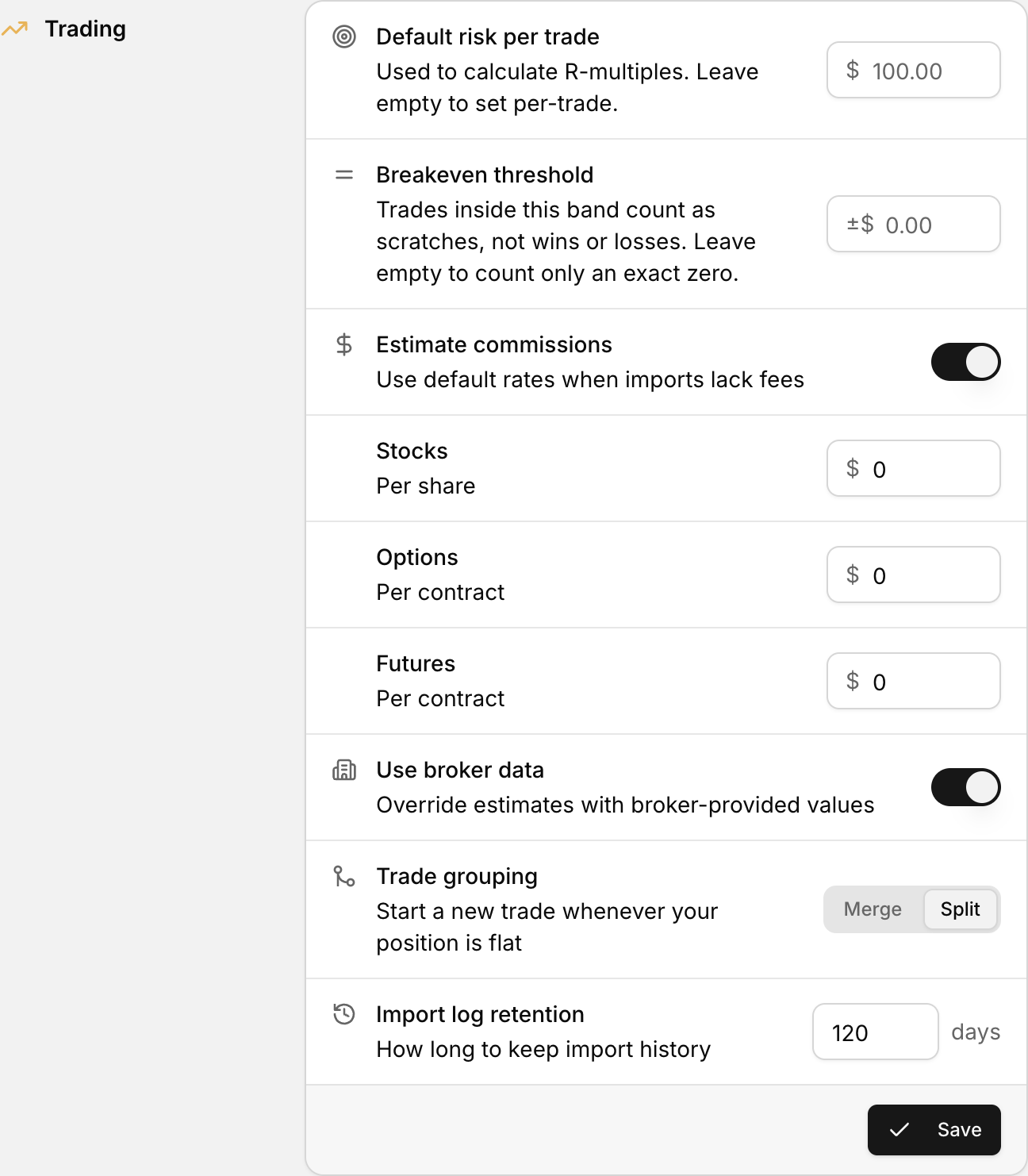 Set a per-contract or per-share commission so imported trades are costed automatically.
Net P&L is gross P&L minus total fees, including commission, transaction fees and ECN fees.
Where to set commissions and fees
| Setting | What it does | | --- | --- | | Estimate Commissions | Applies your default rates when an import file does not include commission data | | Use Broker Data | Lets broker-reported commissions override your defaults when available | | Stocks ($) | Default commission rate per share | | Options ($) | Default commission rate per options contract | | Futures ($) | Default commission rate per futures contract | | Save Import Settings | Saves your choices for future imports |
For the full walkthrough, see Commission and fee settings.
How fees affect P&L
If fees are missing or estimated differently than your broker, net can look higher or lower than your statement even when gross is close.
If numbers still do not line up, see Why doesn't my P&L match my broker statement?