
Sign in, import your first trades, set up tags and strategies, then run a simple daily review with Trading Journal, Discipline and Reports.
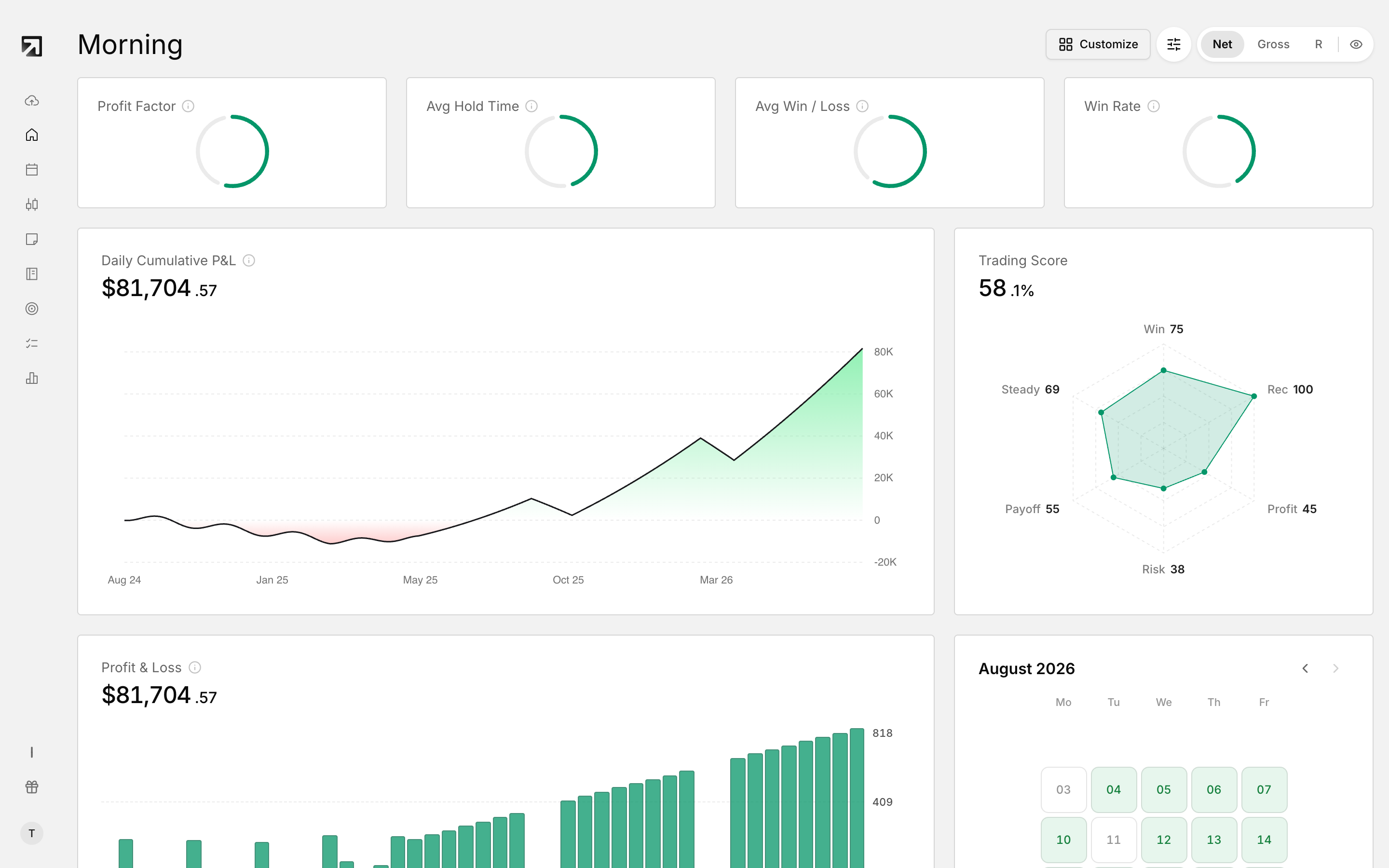 The Dashboard is where you land once your trades are in.
Sign in
- Go to the Welcome to RizeTrade page.
- Choose Send magic link with your email, or Continue with Google.
- If you used email, open Check your email and finish the link.
Find your way around
- Left sidebar: Add Trades, Dashboard, Calendar, Trades, Trading Journal, Notebook, Strategies, Discipline and Reports.
- Profile menu, bottom left: Settings, Subscription, Dark mode and Log out.
Import your first trades
- Open Add Trades in the left sidebar.
- Pick your broker.
- Choose Auto-sync, File upload or Add manually.
- For file upload, set Time zone, which is required, then drop your file.
- New accounts default to the name Main Account.
Full walkthrough: How to import your trades.
Where each job lives
- Dashboard — performance widgets. See Dashboard widgets.
- Calendar — calendar view of your trading history.
- Trades — full trade list with bulk actions. See How to manage trades on the Trades page.
- Trading Journal — Prep and Journal modes for the session.
- Notebook — longer notes. See How to use the Notebook.
- Strategies — your playbooks. See How to create and manage strategies.
- Discipline — daily rules and compliance. See What the Discipline Tracker is.
- Reports — deep breakdowns. See Reports filters.
Set up tags
- Open a trade from Trades, or mark several and use Add tag.
- Create the categories you care about: setups, emotions, mistakes, market conditions.
- Apply tags as you review. Start with a few categories and stay consistent.
See Tag categories.
Create your first strategy
- Open Strategies in the left sidebar.
- Click Create Strategy, enter a name and description, add rules, then save.
- Link trades from Trades with Add to strategy.
Daily workflow
1. Prep in Trading Journal
Use Prep mode before the session. Plan the day, note how you feel, and work through the day checklist.
2. Review trades after the session
- Add tags that match the setup, emotion or mistake.
- Link the trade to a strategy when it fits a playbook.
- Write short notes if something mattered.
- Choose Mark as reviewed.
3. Check Discipline
Watch Current streak, Today's progress and Period score. See How to set up discipline rules.
4. Read Reports
Set filters first, then move across the tabs.
What to do next
- Import on a steady cadence so review never piles up.
- Keep a small set of tag categories and tag every reviewed trade.
- Build one clear strategy with real rules, then score compliance.
- Use Prep before the open and Journal after the close.
- Check Discipline on trading days.