
Tag Categories let you group your tags into buckets, like strategy, emotions, mistakes or market conditions, so everything stays organized when you review trades and filter reports.
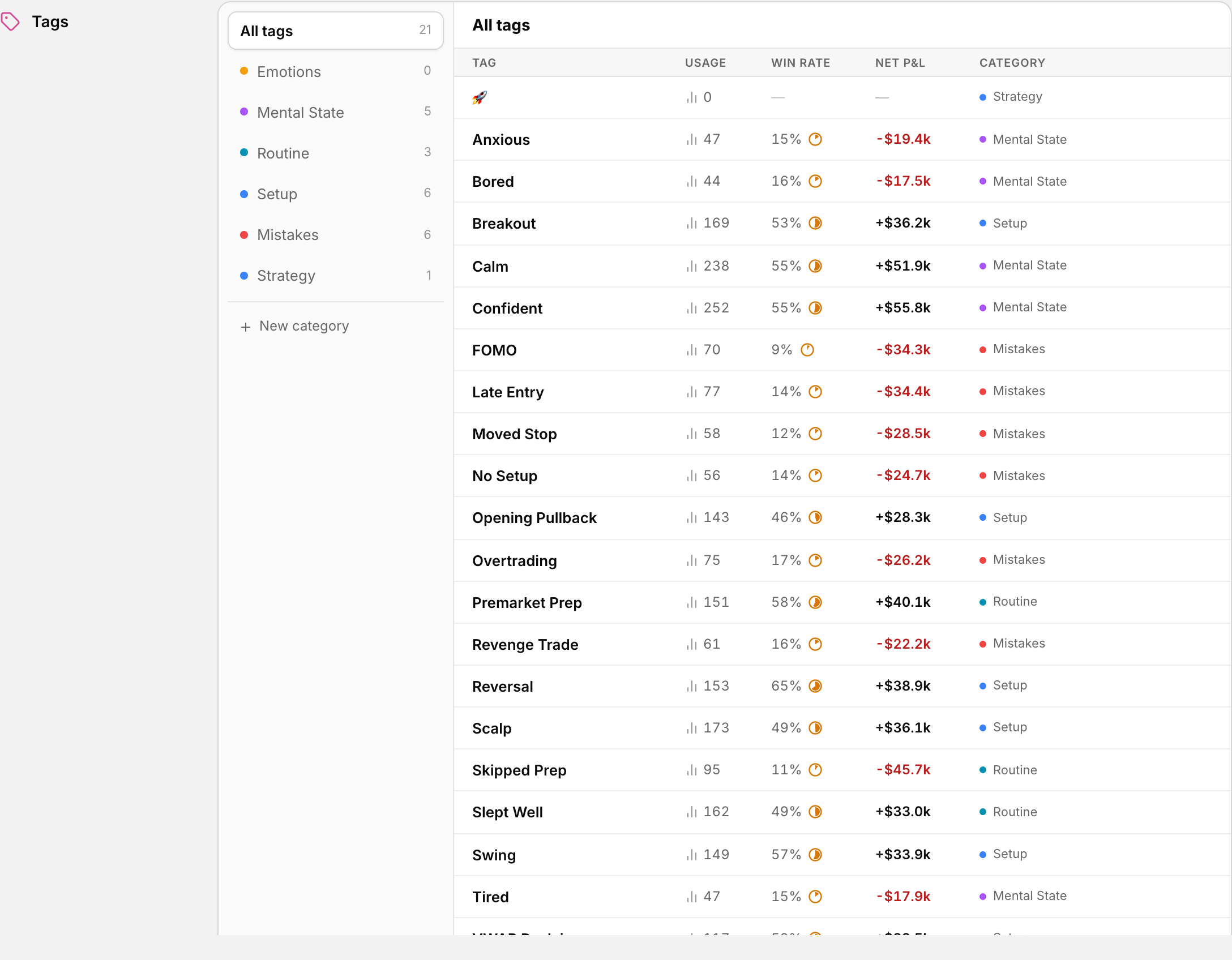 Tags and their categories, managed from Settings.
Where to find it
Go to Settings > Tags Management. You land on the Tag Categories page.
What you can do here
- See all your existing tag categories at a glance
- Create a new category with New Category
- Name it and pick a color so it is easy to spot
- Remove custom categories you are no longer using
Some categories are labeled System. These are built in and cannot be deleted.
How to create a tag category
- Go to Settings > Tags Management.
- Click New Category.
- Type a name, for example "Setup Type", "Emotional State" or "Mistakes".
- Pick a color.
- Click Create Category.
Why this matters
When your tags are grouped into clear categories you can:
- Filter reports by what matters — see P&L broken down by setup, emotion, confidence level, or anything else you track
- Spot patterns faster — such as realizing your FOMO trades are costing you every month, or that your pullback plays have a 2:1 profit factor while your breakouts bleed
- Stop fooling yourself — memory distorts the truth, tags do not
Tips to keep it clean
- Start small — 3 to 5 categories is plenty when building the habit.
- Use clear names — "Emotional State" beats "Feelings Stuff" when scanning reports.
- Do not over-organize too early — stay consistent and let the data compound.
Before you delete a category
Removing a custom category takes that grouping out of your tag organization.