
Rize Trade is your trading journal and performance analytics tool. Import trades, review results, and build the habits that keep you consistent.
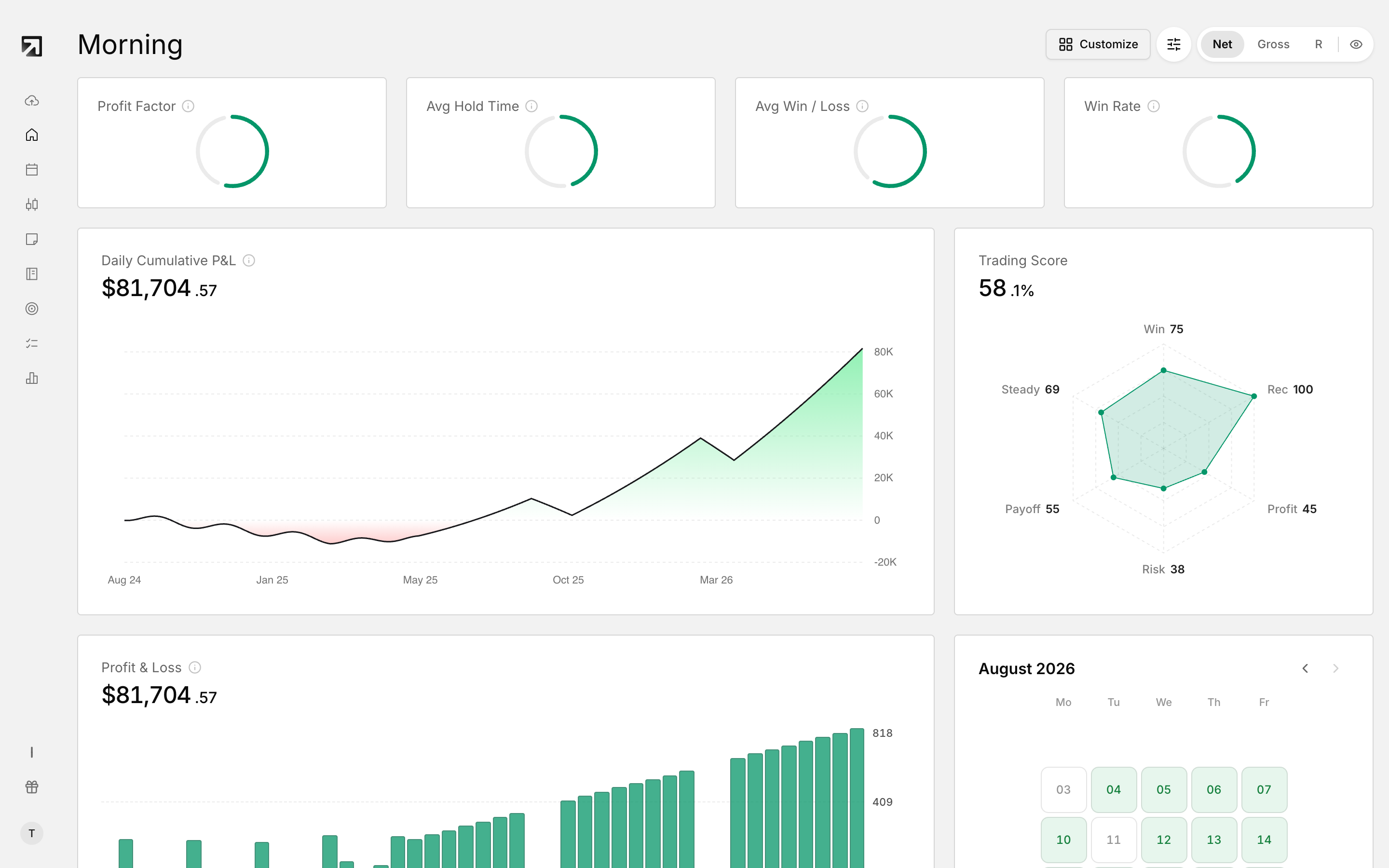 The Dashboard, your starting point in Rize Trade.
For a first-day walkthrough, see Getting started with Rize Trade.
Import your trades
Open Add Trades in the left sidebar. You can use any of three methods:
- Auto-sync — connect a supported broker so trades come in automatically
- File upload — upload a trade file from your platform
- Add manually — enter a trade yourself for Stock, Option, Future, Future Option, Forex, Crypto or CFD
Main sidebar pages
- Add Trades — import or enter trades
- Dashboard — your performance snapshot and widgets
- Calendar — results by day
- Trades — your full trade list
- Trading Journal — structured journaling for your sessions
- Notebook — longer notes, reviews and folders
- Strategies — define playbooks and rules
- Discipline — track whether you followed your daily rules
- Reports — deeper performance breakdowns
Dashboard at a glance
After you log in, Dashboard is home base. Widgets summarize how you are trading so you can scan results without digging through every fill.
Strategies, Discipline, tags and Reports
- Strategies — build your playbooks and rules so you can link trades to a defined plan.
- Discipline — set daily rules and track whether you stuck to them.
- Tags — label trades by setup, emotion or mistake, then filter performance later.
- Reports — break results down by time, symbol, strategy, tags and more.
What to do first
- Import your trades from Add Trades.
- Open the Dashboard and scan your early results.
- Create a couple of tag categories and tag as you review.
- Add one strategy playbook.
- Set a few daily rules in Discipline.
- Check Reports once you have enough tagged trades.