
The Discipline Tracker is where you set daily trading rules and see whether you follow them. Open it from Discipline in the left sidebar.
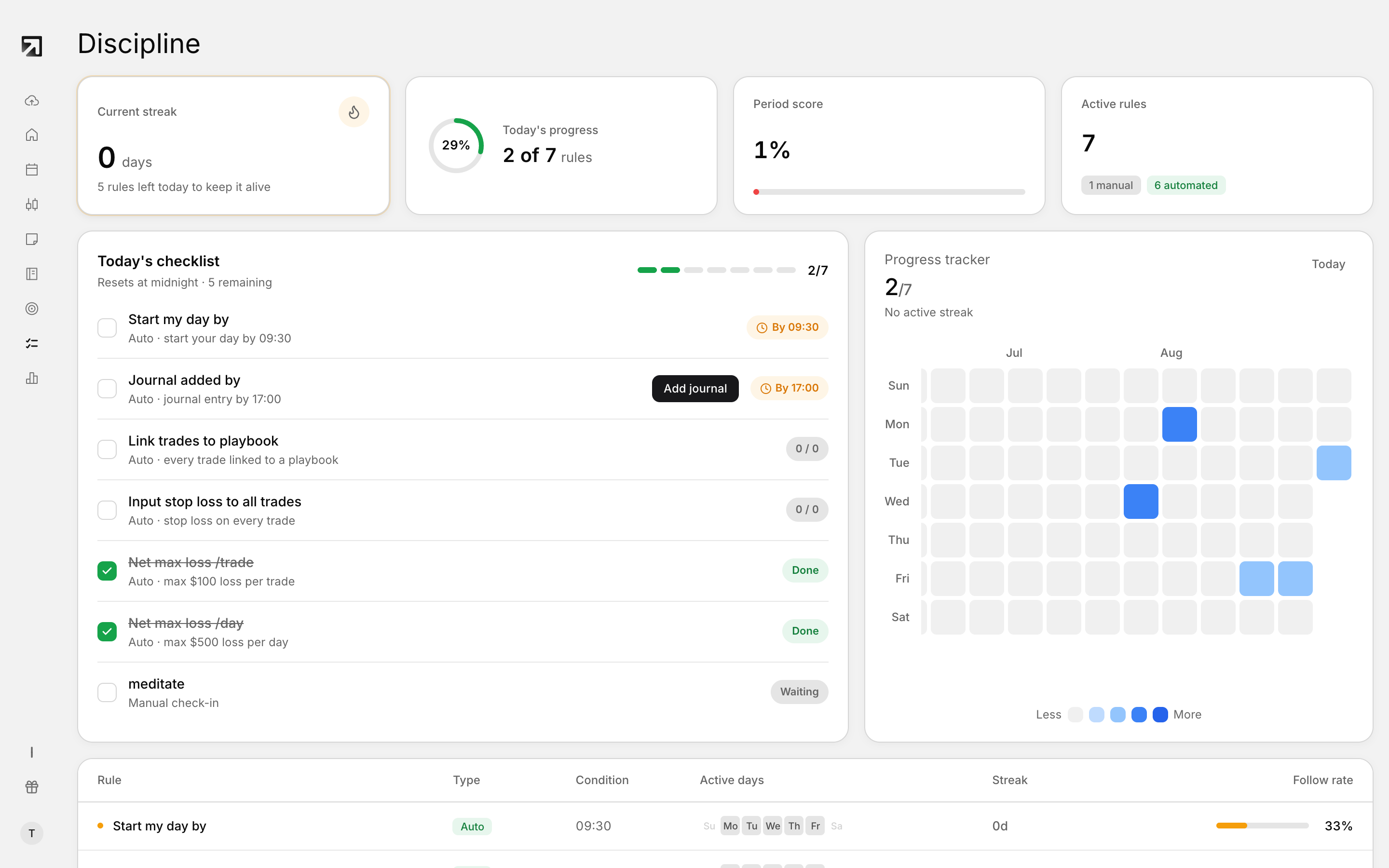 The Discipline Tracker, with today's checklist and your streak.
It is built for process, not P&L.
What you see on the Discipline page
- Current streak — consecutive days you stay on track with your rules
- Today's progress — how many of today's rules are complete
- Period score — your discipline score as a percentage
- Active rules — how many rules are on, with manual and automated counts
Below the stats you get today's checklist, your rules list, and a Progress Tracker heat map.
How rules work
Rules are the checklist Rize Trade scores each trading day. Open them with Edit rules. Changes only update scoring for today and future days.
In the dialog you can:
- Choose Trading days so rules only apply on the days you trade
- Turn automated rules on or off and set their conditions
- Add or remove manual rules
- Choose Cancel to discard edits, or Save changes to keep them
Automated rules
- Start my day by — start your day and enter your starting journal entry by a set time
- Link trades to playbook — attach a playbook to every trade you open
- Input stop loss to all trades — add a stop loss on every trade you open
- Net max loss /trade — stay within a maximum net loss on a single trade
- Net max loss /day — stay within a maximum net loss for the day across accounts
- Journal added by — finish journal entries by a set time after your session
Manual rules
Manual rules are habits you add yourself and check off each day. In Edit rules, use the Manual rules section, type a rule, and click Add.
Progress Tracker on the Dashboard
Progress Tracker is the heat map widget for your daily discipline score. It appears on the Discipline page and can sit on your Dashboard.
A strong Discipline Tracker day is one where you followed the rules you set, not only one where P&L was green.