
Create a strategy on Strategies, add your rules and playbook, then link trades so you can track compliance and performance in one place.
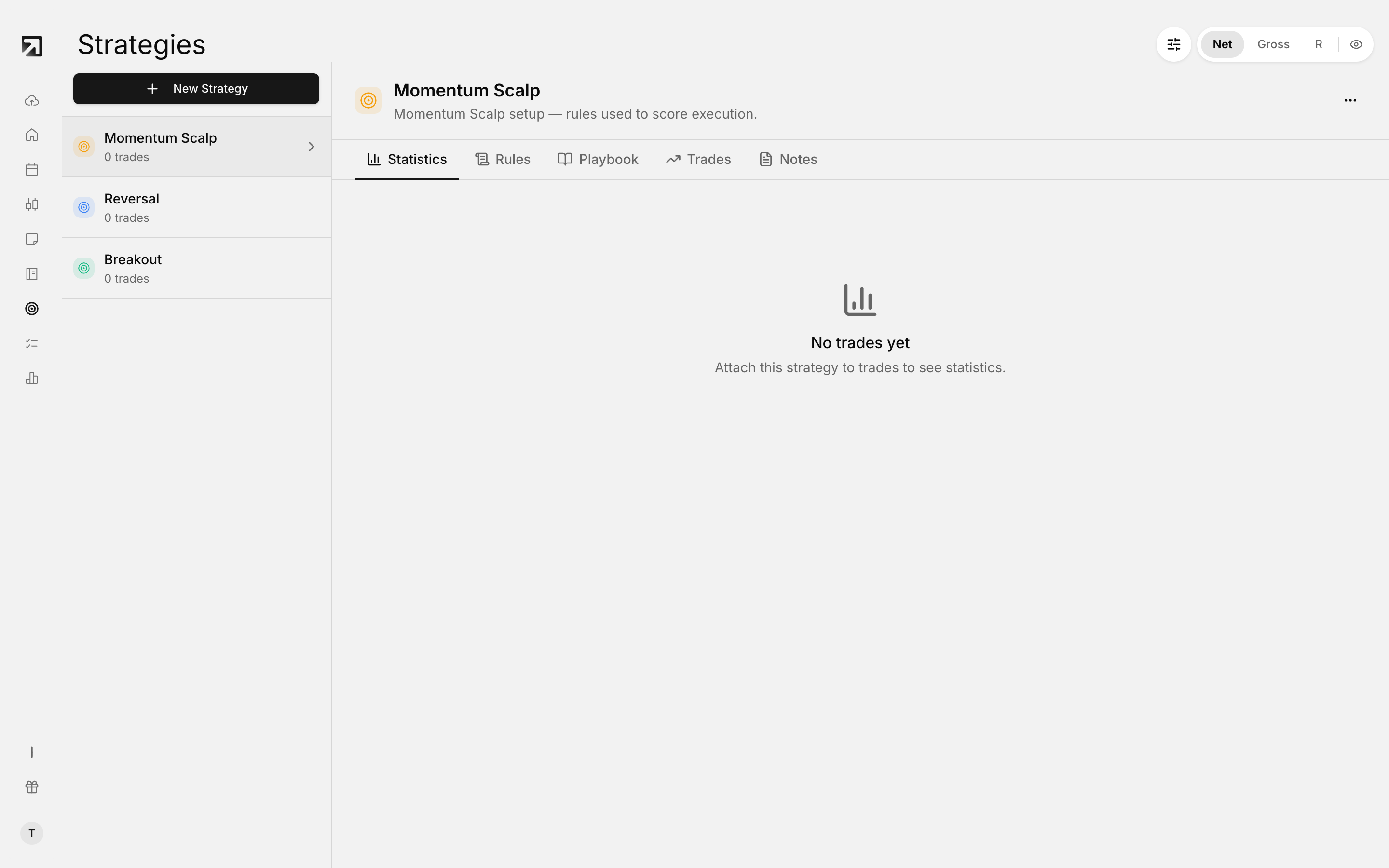 The Strategies page. Pick a strategy on the left to see its own statistics.
Open Strategies
- In the left sidebar, click Strategies.
- You land on the Strategies page.
If you have not created any yet, you see No strategies yet.
Create a strategy
- Click New Strategy.
- Enter a Name, required.
- Optionally add a Description.
- Under Rules, build the checklist you want to score later, or leave rules for after you save.
- Click Create strategy.
The button stays disabled until the name field has text.
Add rules
- Open the strategy, then the Rules tab.
- Click Add group to add a rule group and name it.
- In a group, click Add rule for each condition.
- Remove a rule or group only when more than one exists at that level.
- Click Edit rules to change an existing set, then Save.
With no rules yet, the tab shows No rules defined.
After trades are linked, the Rules view shows compliance labels such as Followed:, Skipped:, When followed: and Win rate:.
Use the strategy tabs
- Statistics — performance for trades linked to this strategy.
- Rules — your rule groups and compliance view.
- Playbook — longer write-up of how you take the setup.
- Trades — trades attached to this strategy.
- Notes — quick notes tied to the strategy's playbook.
Create a playbook
- Open the strategy and go to the Playbook tab.
- Click Create playbook.
- Write in the editor. It shows Saving... while it writes and Auto-saved when current.
Link trades to a strategy
- Open Trades.
- Select one or more trades.
- Open Actions and choose Add to strategy.
- Pick the strategy.
Linked trades show under that strategy's Trades tab.
Edit a strategy
- Select the strategy in the sidebar.
- Open the header menu and click Edit.
- Change Name, Description and Rules.
- Click Save changes.
Delete a strategy
- Select the strategy.
- Open the header menu and click Delete.
- Confirm in the Delete strategy? dialog.
Deleting removes the strategy and its linked rule groups, rules, trade links and rule checks. This cannot be undone.