
Rize Trade groups option fills by underlying at import, so several contracts can sit under one trade. Open any trade to see each fill in the Executions table.
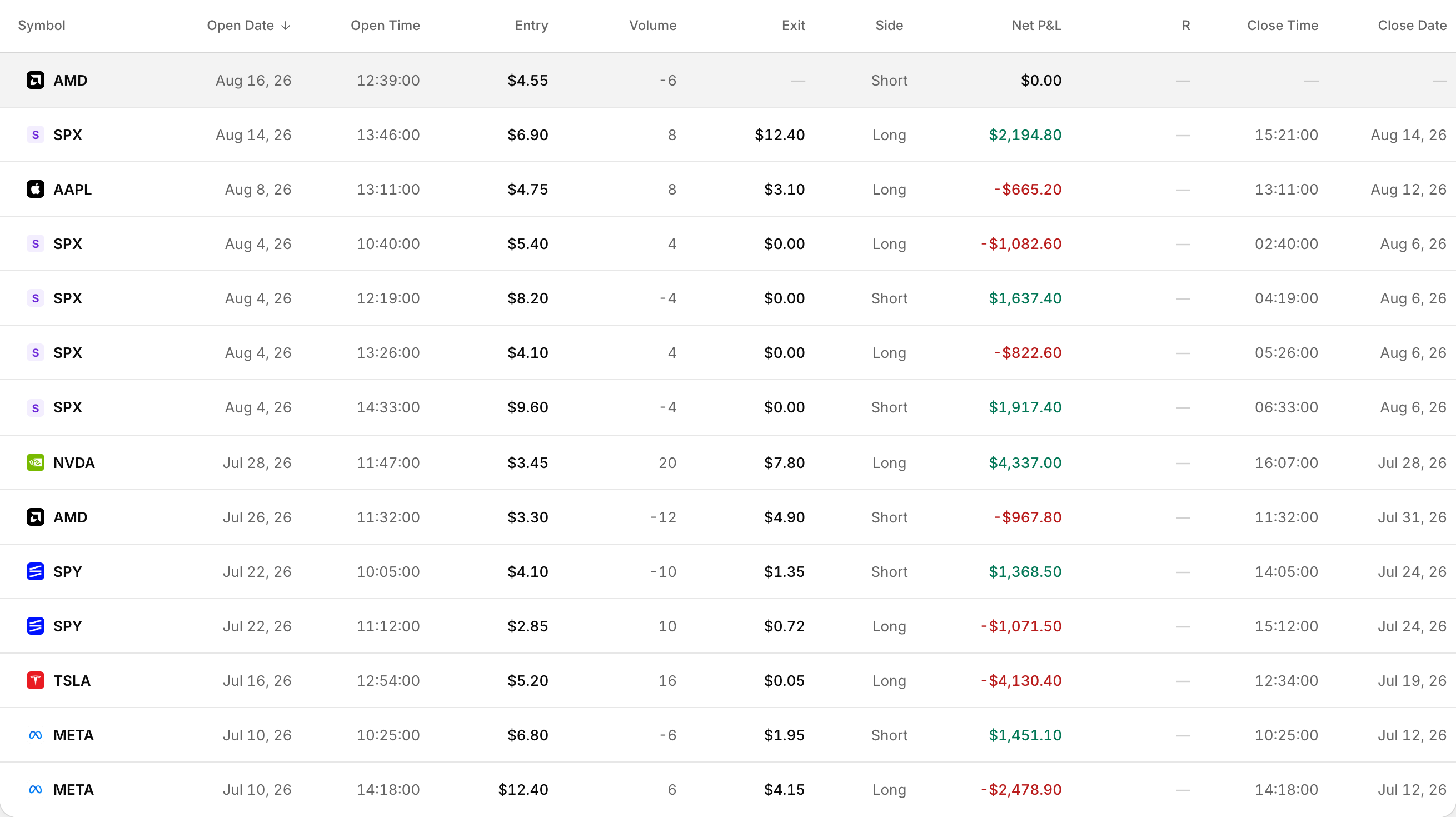 Legs listed separately, each with its own entry, exit and P&L.
There is no ungroup button on trades already in your account, and no chart toggle to view by contract instead of underlying.
How option grouping works
On import, Rize Trade groups multi-leg and related option activity by the underlying symbol.
Your Trade Grouping choice under Settings > Trade settings > Trade Processing controls how aggressively those executions become one trade or several:
- Split when possible, the default — starts a new trade when a new execution arrives and your position is flat.
- Merge when possible — merges same-day executions more aggressively.
See each option fill on a trade
Every trade detail page lists each fill separately in the Executions table, even when the list shows one grouped trade.
Each row shows date, time, side, quantity, price, commission and total value. Option trades can also show the full contract label next to the symbol.
Get more separate trades on import
- Click your profile icon, then open Settings.
- Open Trade settings.
- Under Trade Processing, find Trade Grouping.
- Select Split when possible.
- Save.
This applies to future imports only. See How to split trades into separate trades.
Regroup trades you already imported
- Save the Trade Grouping choice you want.
- Delete the trades imported with the wrong grouping.
- Import those trades again.
Filter option trades in the list
- Asset Type > Options
- Symbol > Search symbols...
- Status > Open or Closed
Charts always use the underlying
Option trade charts plot the underlying stock symbol. There is no toggle to switch between contract and underlying.