
Cash-settled options such as SPX and many 0DTE contracts stay Open when your broker never sends a closing execution. Close them by re-importing a broker export that includes the settlement rows, or by manually entering open and close executions so net quantity is zero.
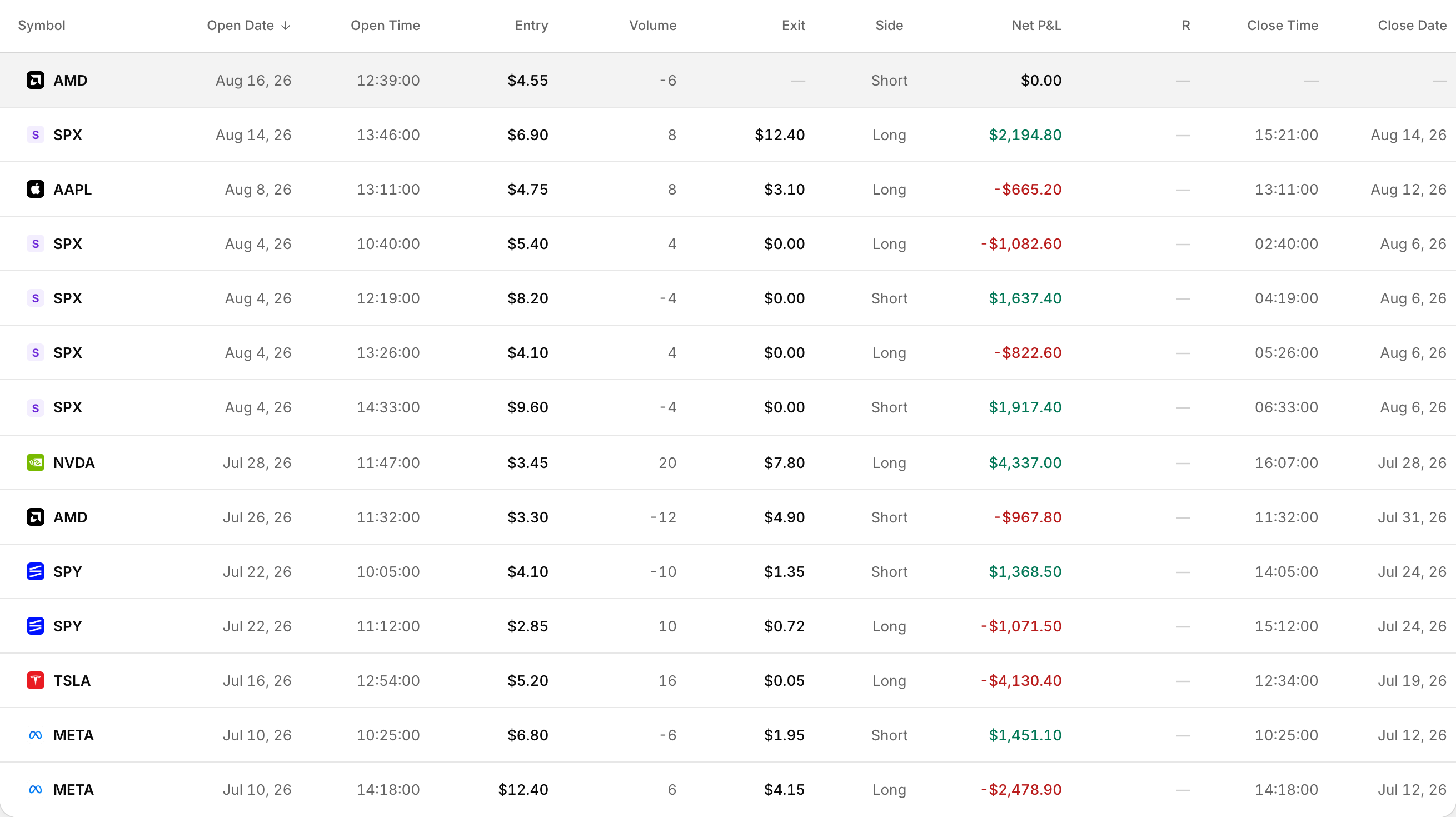 A 0DTE SPX trade alongside contracts that ran to expiry.
Rize Trade does not auto-close expired, assigned, exercised or cash-settled options.
Why cash-settled options stay open
A trade closes only when every leg's net quantity is zero. Cash settlement often settles in cash at the broker without a normal closing fill, so the import never gets an offsetting execution.
If a close row is marked as a close with no matching open leg, Rize Trade skips that orphaned close.
How SPX options group
Rize Trade groups option executions by the underlying symbol extracted from the contract. SPX contracts group under SPX. Charts for options plot the underlying symbol's price series, not the option contract's own price path.
Option 1: Re-import with settlement rows
- In your broker, export again for a date range that covers the open through settlement or expiration.
- Confirm the file includes settlement or cash-close rows for the stuck contracts.
- Delete the stuck open trades first if they are already in the account.
- Import the full file.
- Confirm the position shows Closed with exit details filled in.
Option 2: Manually enter open and close executions
- Open the account that holds the open trade.
- Delete the stuck open trade if already imported.
- Click Add trade.
- Under Asset Type, choose Option or Future Option.
- Enter the Underlying symbol, and match Exp Date, Type and Strike to the open contract.
- Add execution rows for both the original open and the missing close so Net qty reads zero.
- Set Date & Time, Side, Price and size on each row, then click Save Trade.
Enter the close Price from your broker records. Rize Trade does not calculate a cash-settlement price for you.
What Rize Trade does not do automatically
- No dedicated assignment, exercise or cash-settlement status labels
- No auto-close when an option expires or settles in cash
- Orphaned close executions with no matching open leg are skipped on import
- Option charts show the underlying, not the option contract series