
Rize Trade groups option and stock executions by the underlying symbol during import, so stock fills and option legs on the same underlying can land in one trade.
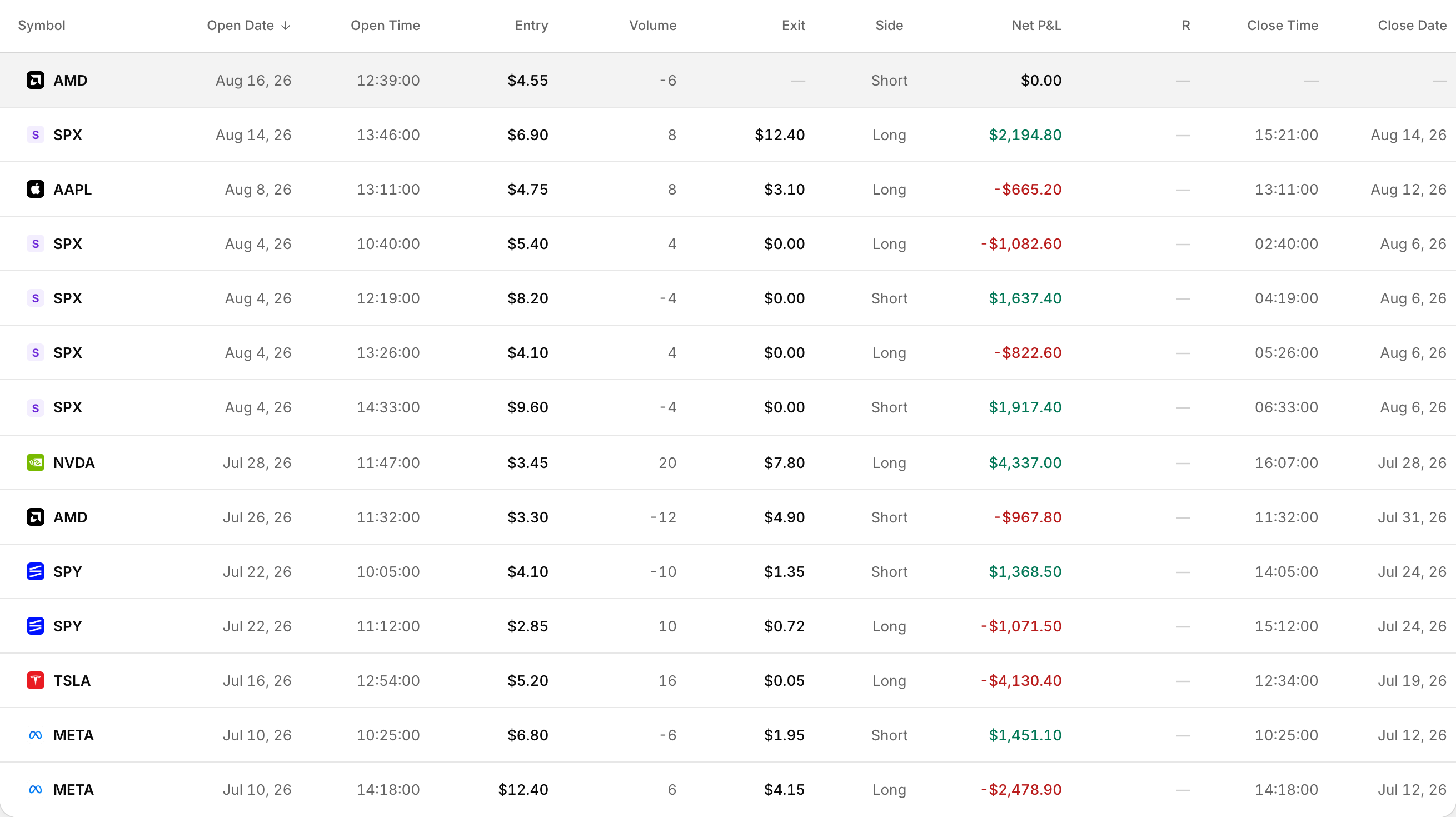 Each leg is its own row, so a spread shows both sides with their own fills.
Why options group under the underlying
- Stocks keep the same symbol.
- Options use the root or underlying, so an SPX option maps to SPX.
- Futures use the futures root.
That is why SPX stock and SPX option legs can group into one trade instead of separate trades for every contract string.
One trade, many executions
A trade is one record with the individual executions stored underneath it. Open a trade's detail page to see the executions table for every fill in that group.
How Trade Grouping shapes the result
Controlled under Settings > Trade settings > Trade Processing > Trade Grouping.
Merge when possible
Aggressively merges executions into as few trades as possible when those executions occur on the same day.
Split when possible
Creates a new trade whenever a new execution is encountered while your position is flat. This is the default.
Merge Window (minutes)
The time window used to merge flat positions into the same trade. Default is 60 minutes, range 0 to 1440.
Trade Grouping settings apply to future imports only. Trades already in your account stay as they were imported.
Multi-leg imports with position effect
When executions include position effect, TO_OPEN or TO_CLOSE, common on Thinkorswim and Tastyworks-style imports, Rize Trade uses position-effect-aware grouping. Orphaned TO_CLOSE executions are skipped.