
Largest Loss is the single worst losing trade in your closed-trade set, not a sum of every loss on a symbol. If Rize Trade grouped several fills into one trade, that whole grouped loss is what the metric uses.
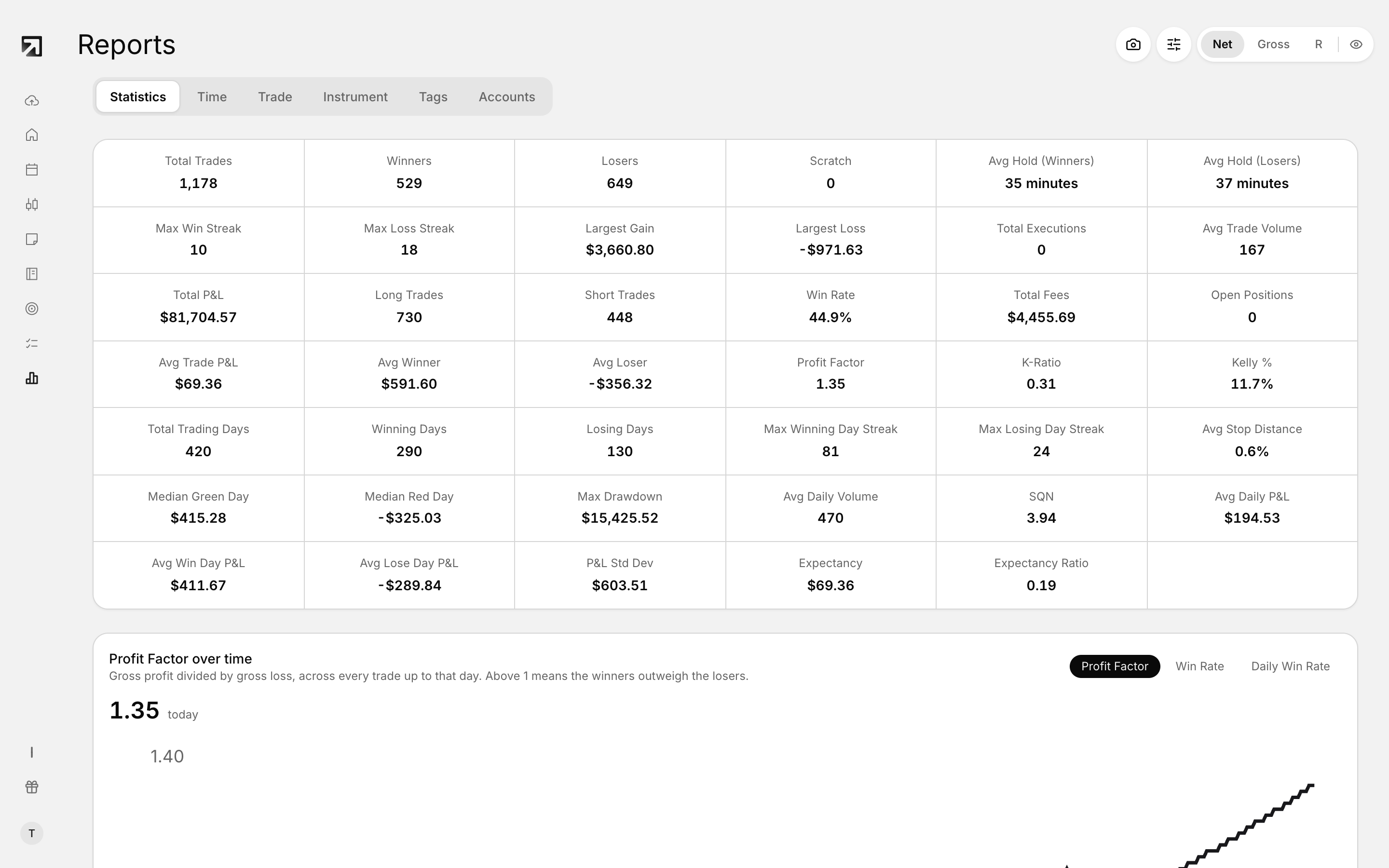 Largest Loss on the Statistics tab in Reports.
What Largest Loss measures
On Reports, Largest Loss looks only at trades with negative P&L and takes the most negative value.
Each closed trade contributes one P&L number. Among the losers, the worst number becomes Largest Loss. If you have no losing trades, the value is 0.
Why one number can look like several trades
When grouping is on, related fills on the same symbol can become one trade before stats run. That one trade carries the full combined P&L of those fills.
So if you scaled in or out, Largest Loss can look bigger than any single fill, because Rize Trade is scoring the grouped trade, not each fill on its own.
That is expected math, not a broken report.
How grouping changes the metric
Grouped multi-fill trades count as one row in the stats set. Open trades are not part of this metric; only closed trades feed Largest Loss.
What to change for future imports
In Import Settings under Trade Grouping, use Split when possible so related fills are less likely to land as one oversized trade. Pair that with Trade grouping settings and Split on position reversal.
New settings apply to future imports only.