
The Tags report breaks down your closed trades by tag so you can see which setups, emotions and conditions help or hurt your results.
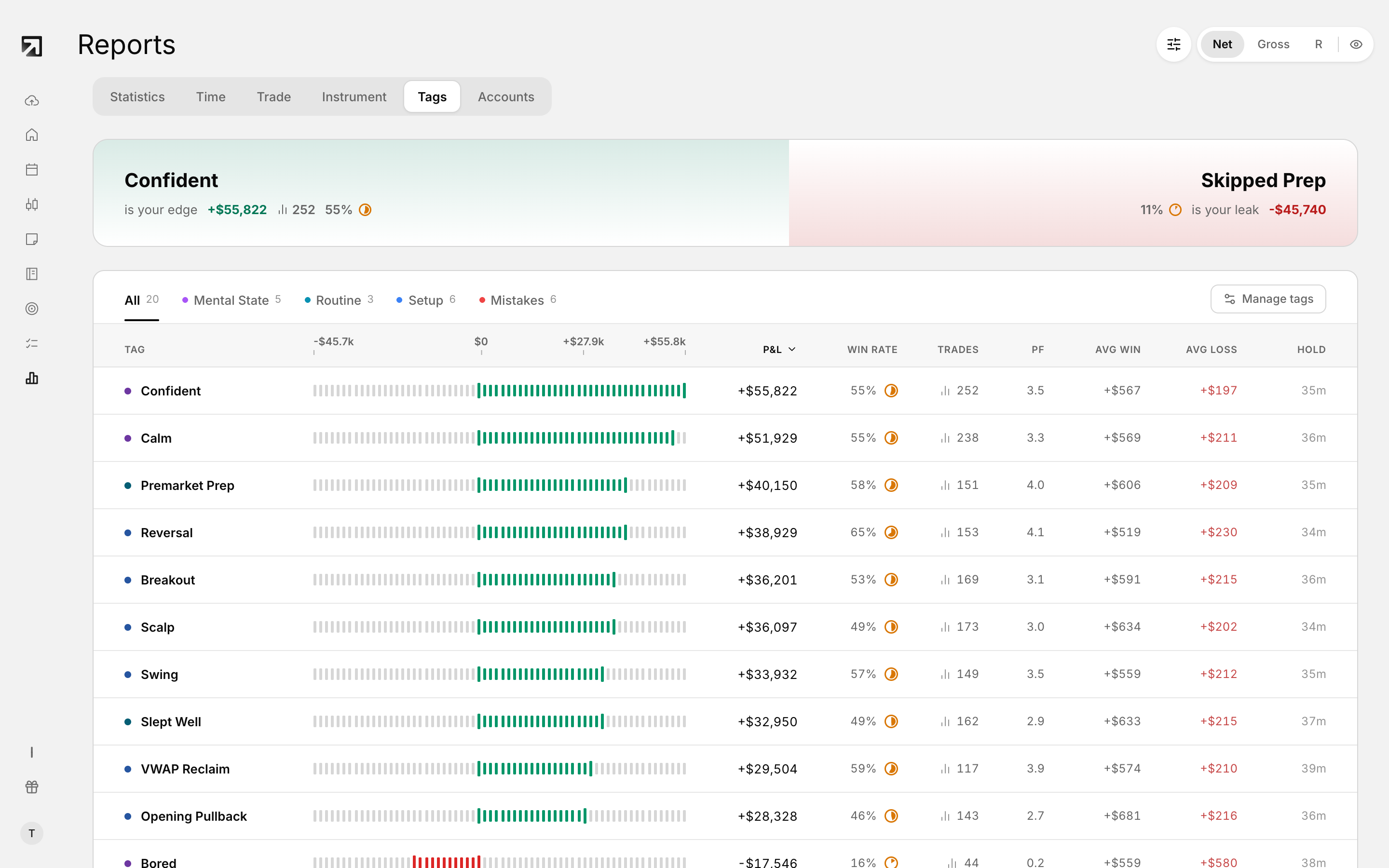 The Tags tab in Reports, breaking performance down by the tags on your trades.
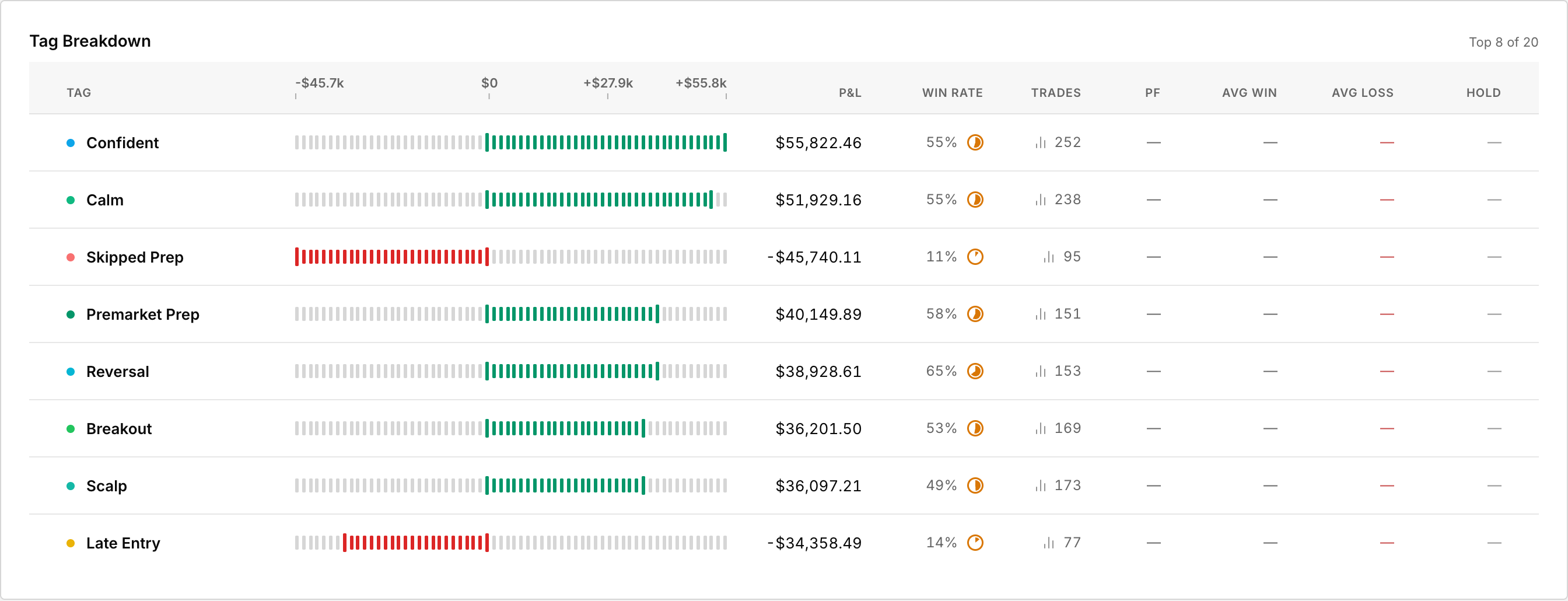 The same breakdown is available as a Dashboard widget.
Open the Tags report
- Open Reports from the left sidebar.
- Set the top bar filters for date range, accounts and tags.
- Open the Tags tab.
The report only includes closed trades.
If you see "No tagged trades yet"
Tag some trades first, then come back. The report needs tags on closed trades to build insights.
Tag Performance highlights
- Most Profitable Tag — the tag with the highest net P&L
- Worst Performing Tag — the tag with the lowest net P&L
- Most Active Tag — the tag used on the most trades
- Highest Win Rate — the tag with the highest win rate
If a card has no tag to show, it displays No data.
Performance Overview
Toggle the metric between Gross P&L, Net P&L and Avg P&L. Each row shows the tag, a graph, the selected metric, trade Count and total Volume.
Detailed Breakdown
- Tag
- Trades — how many closed trades carry that tag
- Net P&L
- Win Rate — winning trades divided by total trades
- PF (profit factor) — total wins divided by total losses
- Avg P&L — your expectancy per trade
- Avg Win and Avg Loss
- Hold Time — average hold time for trades with that tag
How to read it in practice
- Scan the four highlight cards for an instant story.
- In Performance Overview, switch between Gross, Net and Avg P&L.
- In Detailed Breakdown, compare win rate, profit factor and average win vs average loss. A high win rate with a weak profit factor often means winners are small and losers are large.
- Change the filters and re-check so you are comparing a clean slice.
Tag every trade for a few weeks before you judge a pattern. Small samples can look extreme.