
Open Trading Journal in the left sidebar to run your session prep and end-of-day review.
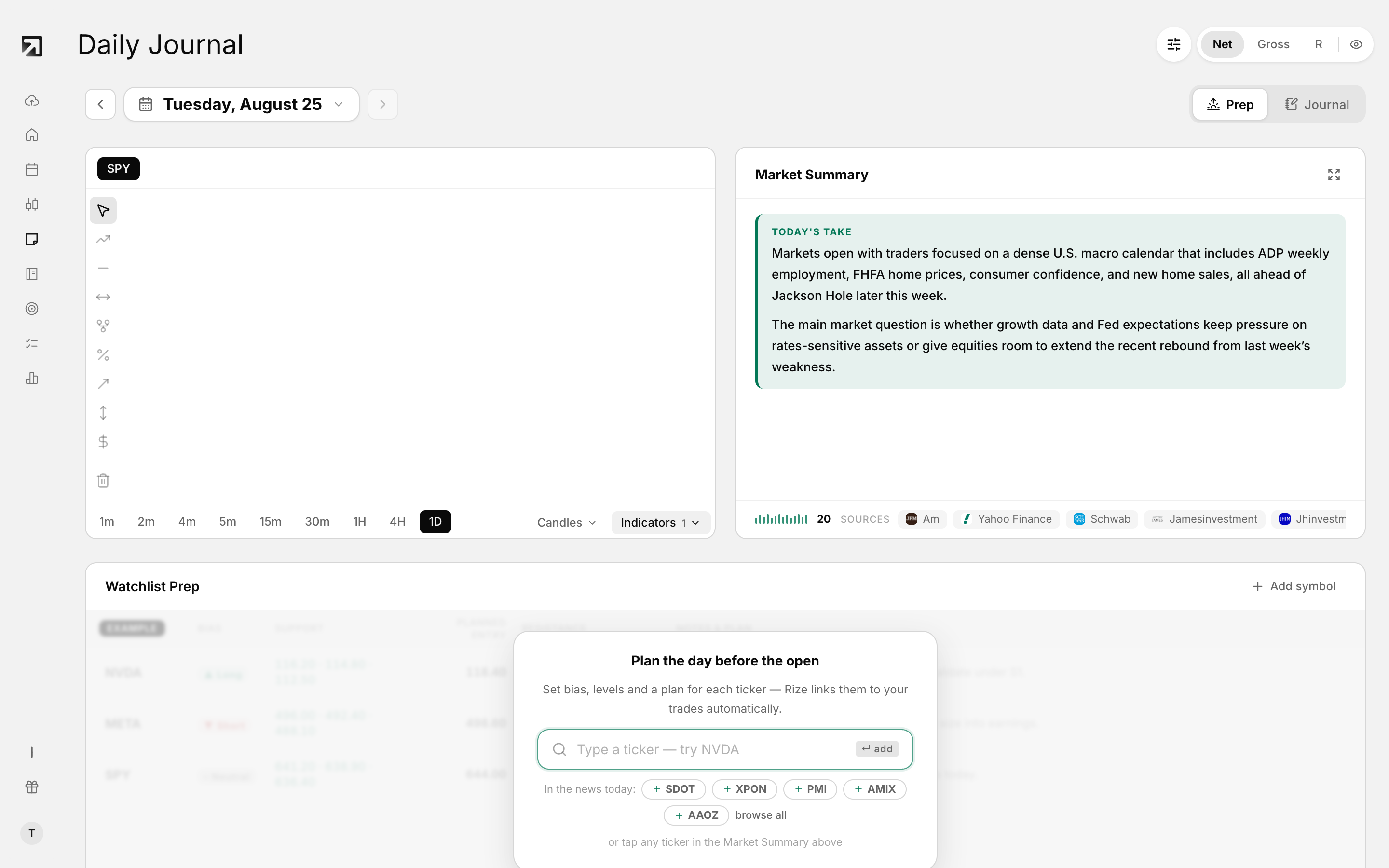 The Trading Journal, with the day's prep, notes and linked trades.
Use Prep before you trade and Journal after. Your writing autosaves.
Prep vs Journal modes
- Prep — plan the session before you trade
- Journal — review the day after you have fills
By default the page opens in Journal when the selected day has trades, and in Prep when it does not.
Use Prep mode
- Market row with the OHLC chart and Market Summary
- Watchlist prep table
- Movers strip
Use Journal mode
- Your Day — day P&L chart plus Trades, Volume, Win Rate and Fees
- Journal editor — freeform write-up for the day
- Right rail — Trades list next to your day checklist
Rate the day
- Under Performance grade, choose A, B or C. Click the same grade again to clear it.
- Under Strongest emotion, pick one: fear, greed, anger, hope, boredom, desperation, calm, overconfidence, regret or doubt.
Grade and emotion save as soon as you change them.
Add tags
When a journal entry exists, tags appear under the editor. Open Manage to work with tags.
Work the day checklist
The right rail shows your discipline checklist for the selected date. If you have not set rules yet, you see No discipline rules yet and Set up rules.
Autosave
- While a save is running, you see Saving...
- When it finishes, you see Saved
- If it fails, you see Failed to save journal entry
Trading Journal vs Notebook
- Trading Journal — structured prep and end-of-day review for one trading day
- Notebook — freeform notes, folders, templates, lessons, playbooks and watchlist items